MVP
VR Dissection
Simulation Design
Background_
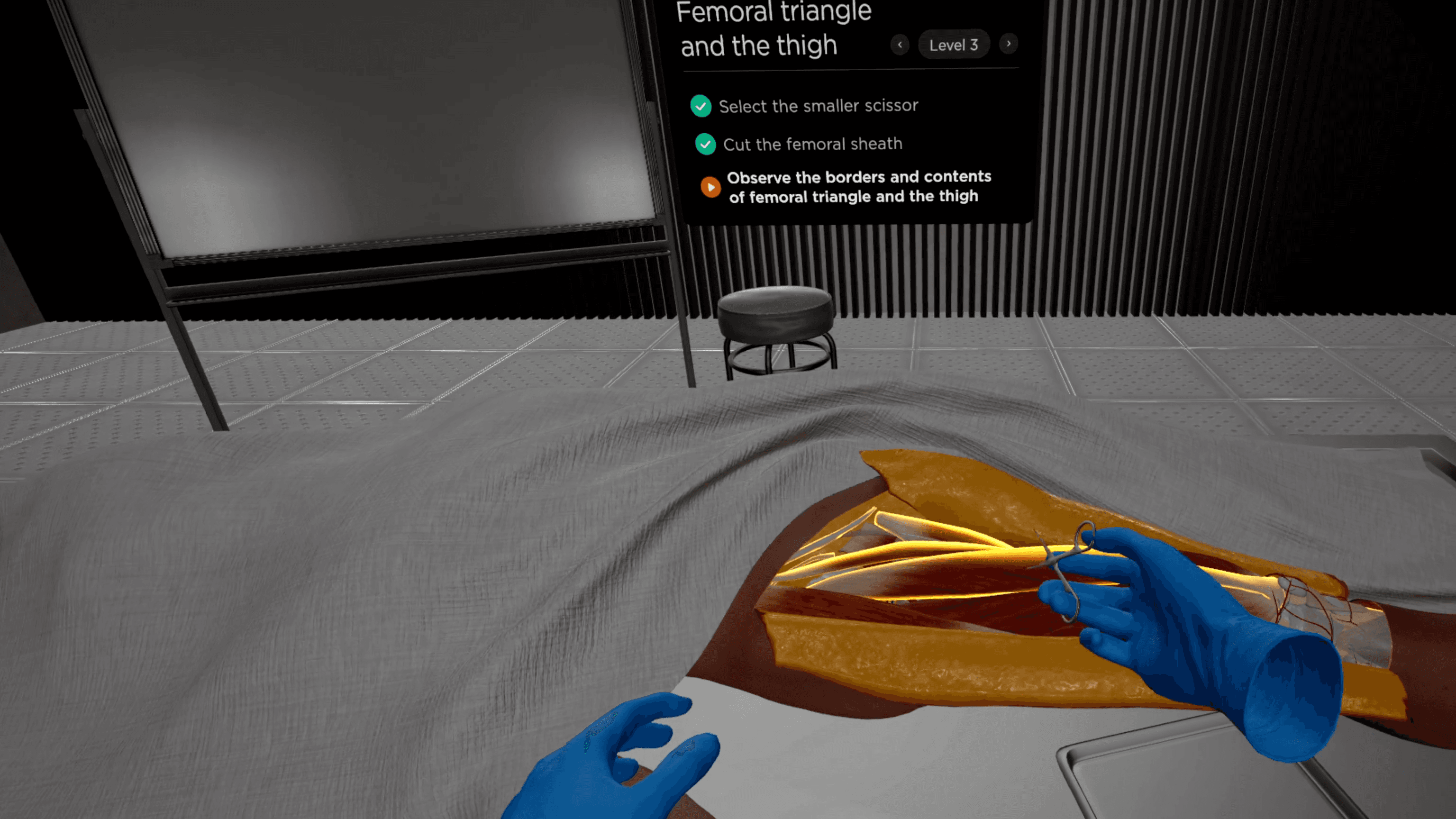
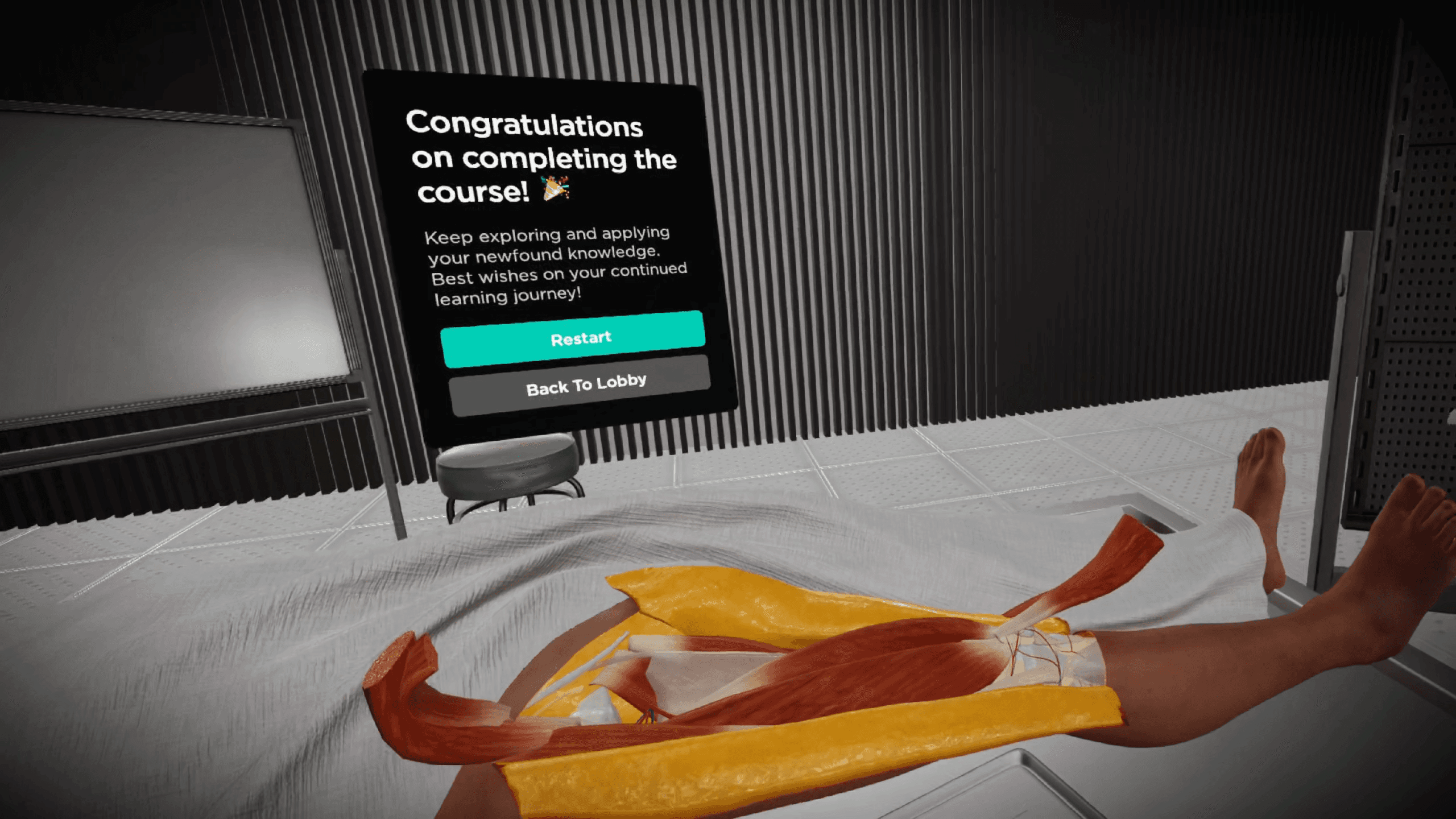
Cadaver dissection is essential but risky—one wrong cut can have irreversible consequences. To bridge this gap, MAI develops VR dissection simulation with step-by-step, hands-on lectures to minimize errors during cadaver dissections.
Responsibility_
Collaborate with medical content team to analyze and categorize dissection procedures for modular development.
Work closely with developers and the 3D team to find solution for technical constraints and set goals for different stages.
Develop frameworks and prototypes to illustrate VR interactions for effective decision making.
Create UX specifications and designed UI to enhance user experience.
Challenge 01_
How to design for scalability?
To prepare for 50 upcoming anatomical regions beyond the MVP, I shifted the focus from designing linear, step-by-step scripts to building a modular system that streamlines the creation of diverse educational scenarios while ensuring long-term efficiency.
From Steps to Modules
Considering the number of steps in the total 50 regions, treating each step as an independent specification would be inefficient.
To optimize development, I extracted five key actions across all lectures. By designing thoughtful scenarios for these actions as modules, we can generate an unlimited number of lesson scripts, significantly reducing development time and enhancing scalability.
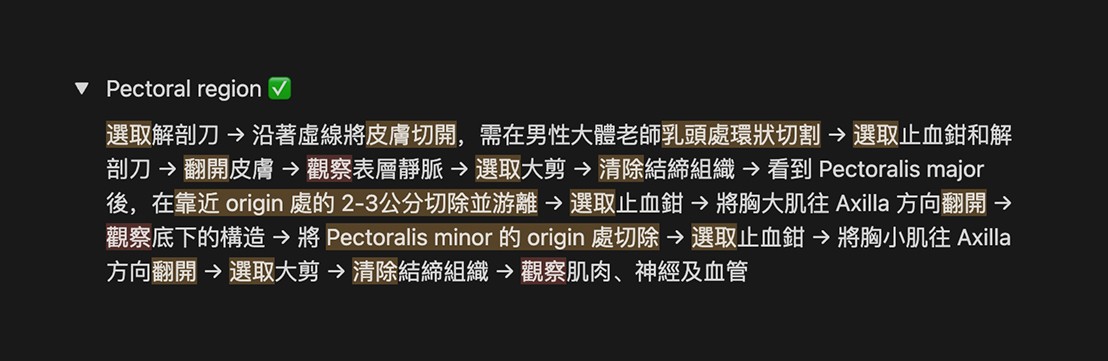
Before: 17 steps in a lecture script
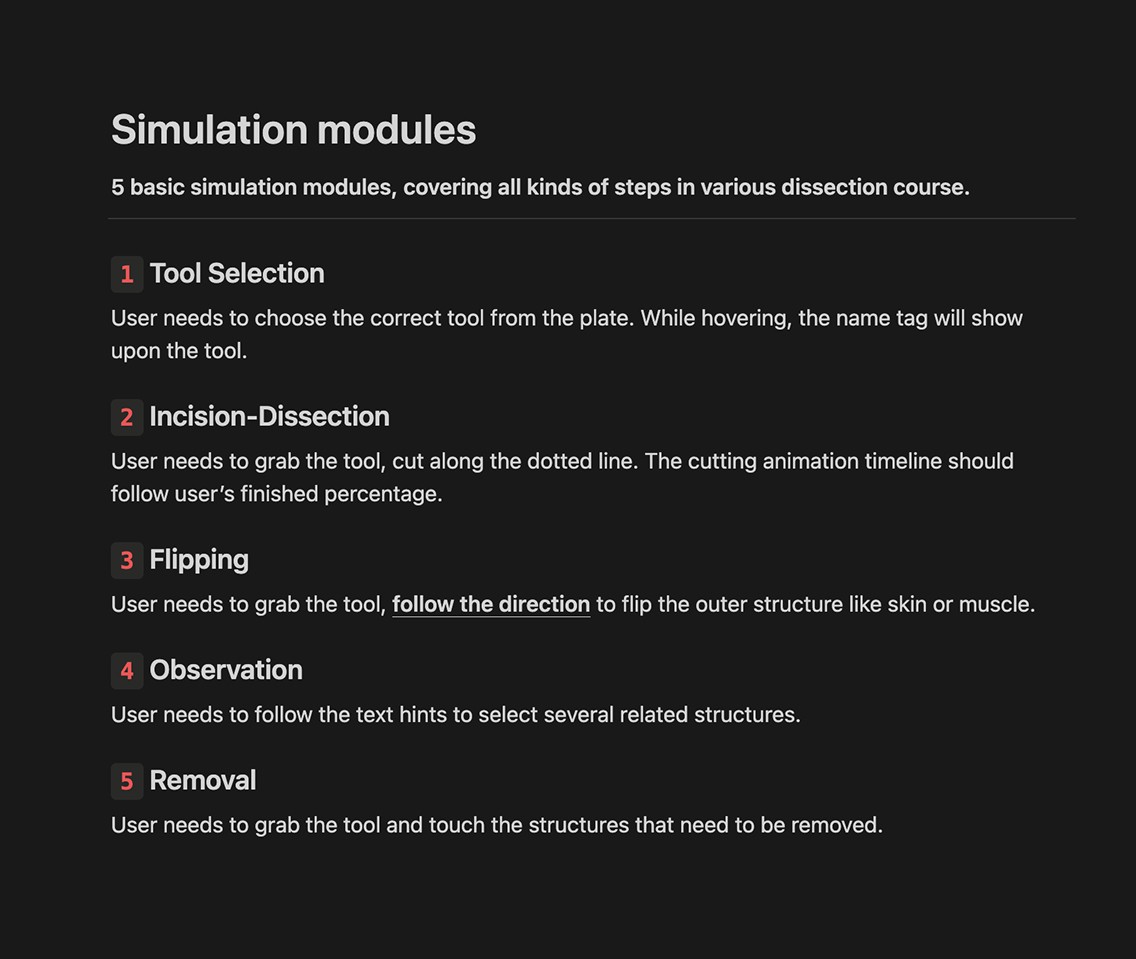
After: 5 modules that covering all steps
Challenge 02_
How to minimize cognitive load in multi-step UI?
When designing step-by-step interface with up to 20 steps, grouping steps works better than single-step pages to keep users motivated.
Cognitive Load Accumulation
In the research phase, we had users test other VR surgery simulation, where they followed instructions to complete around 20 tasks. Each time, only the current task was displayed in the prompt.
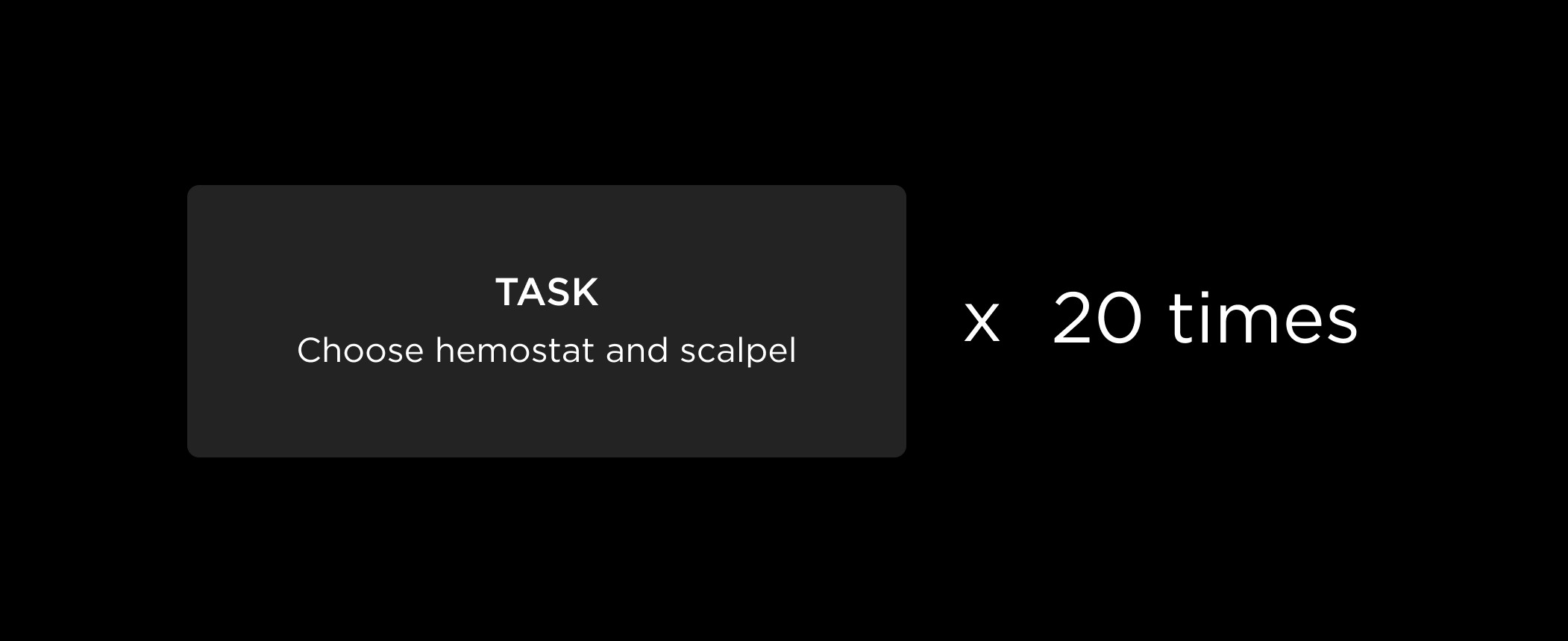
While presenting tasks one by one may seem to ease cognitive load, constantly making users to refocus on new prompts drains their cognitive resources. When there are up to 20, users begin to feel anxious due to the perception of an endless workflow.
😟
"There are too many steps; it feels like the tasks will never end."
Discover Hierarchical Patterns
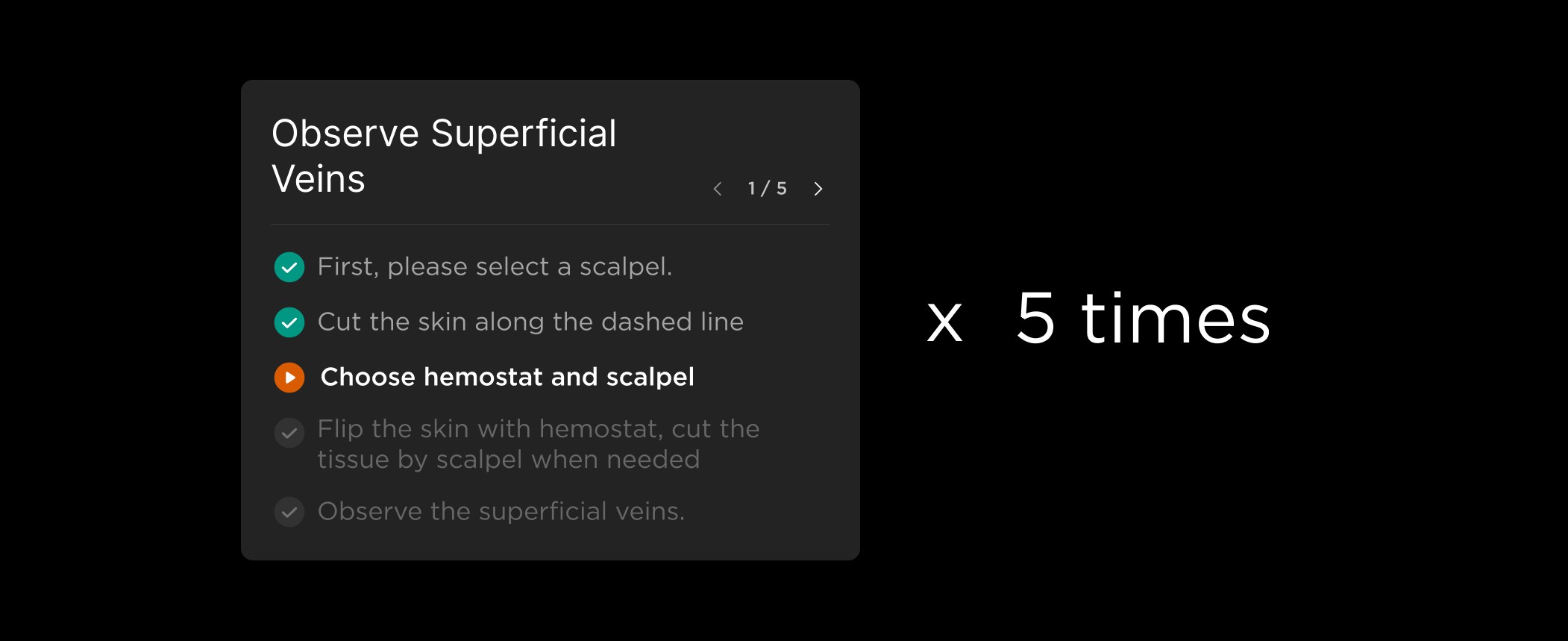
Looking across the steps in dissection lectures, they all follow a pattern centered on observation — the primary goal of the course. In our case, there are 17 steps in the demo lecture. By using observation as breakpoints, these steps are consolidated into 5 learning objectives, each containing 3 to 5 steps.
Conclusion
By grouping steps logically and using meaningful titles, the task pages were shortened, and users gained a clearer understanding of each step's purpose, which enhanced their memory of the procedure. As a result, the user test showed notable improvements in both completion rates and efficiency.
Challenge 03_
How to define observation
is complete?
In this step-by-step tutorial, the UI automatically jumps to the next step when users meet the requirements. However, for the final step of each level—observation—how should the completion be determined?
Self-Assessed?
Simply adding a "Finish" button and expecting users to click it after observing is risky—they might just hit the button without actually observing.
Set Observation Duration?
Unlocking the 'Finish' button after a fixed time isn’t ideal either—users who finish early may find it frustrating to wait.
Observation through Interaction!
Since observation is hard to measure, guiding users to interact with each structure helps ensure their focus:
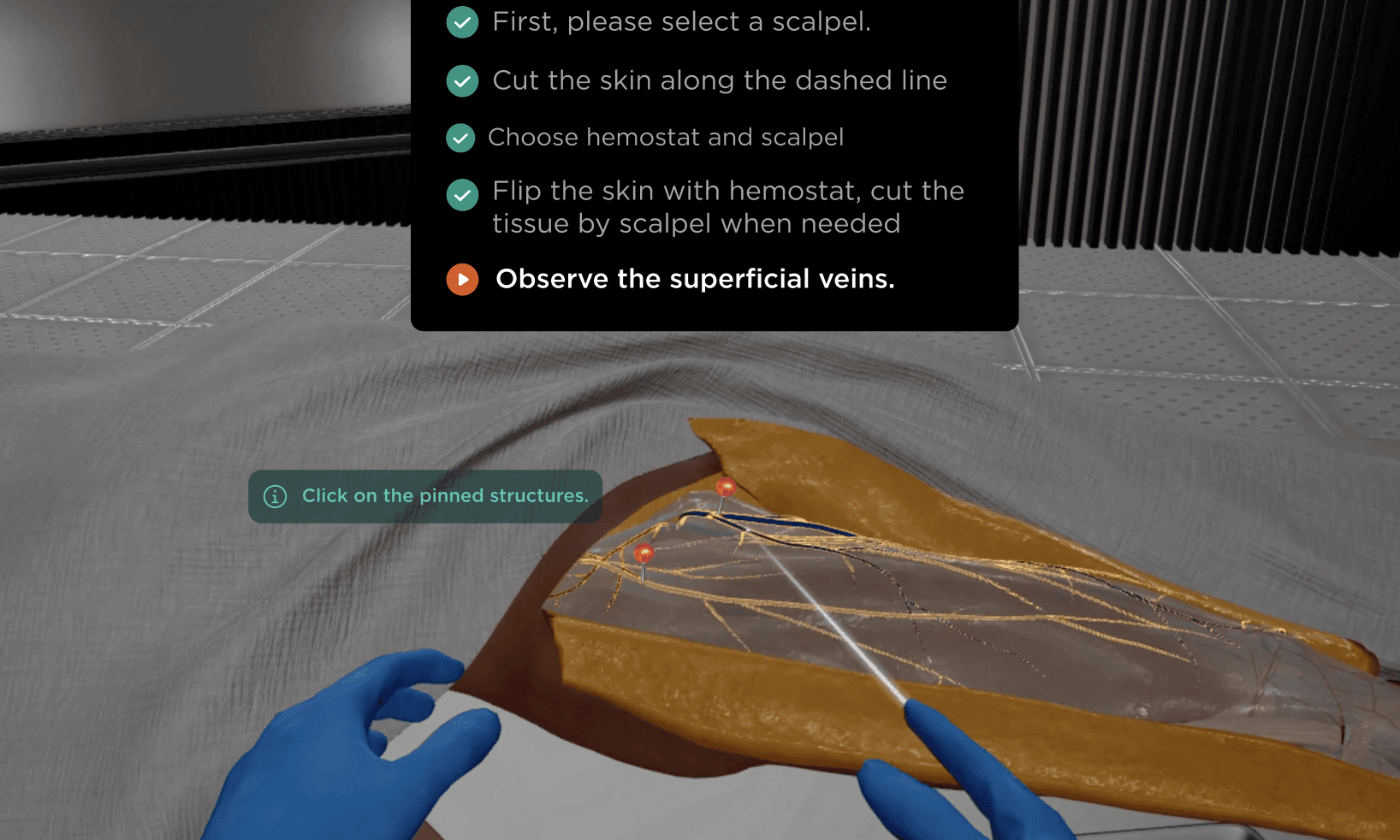
To make the interaction meaningful, users are prompted to click on the pinned structures to reveal their names, reinforcing user's memory of the objectives.
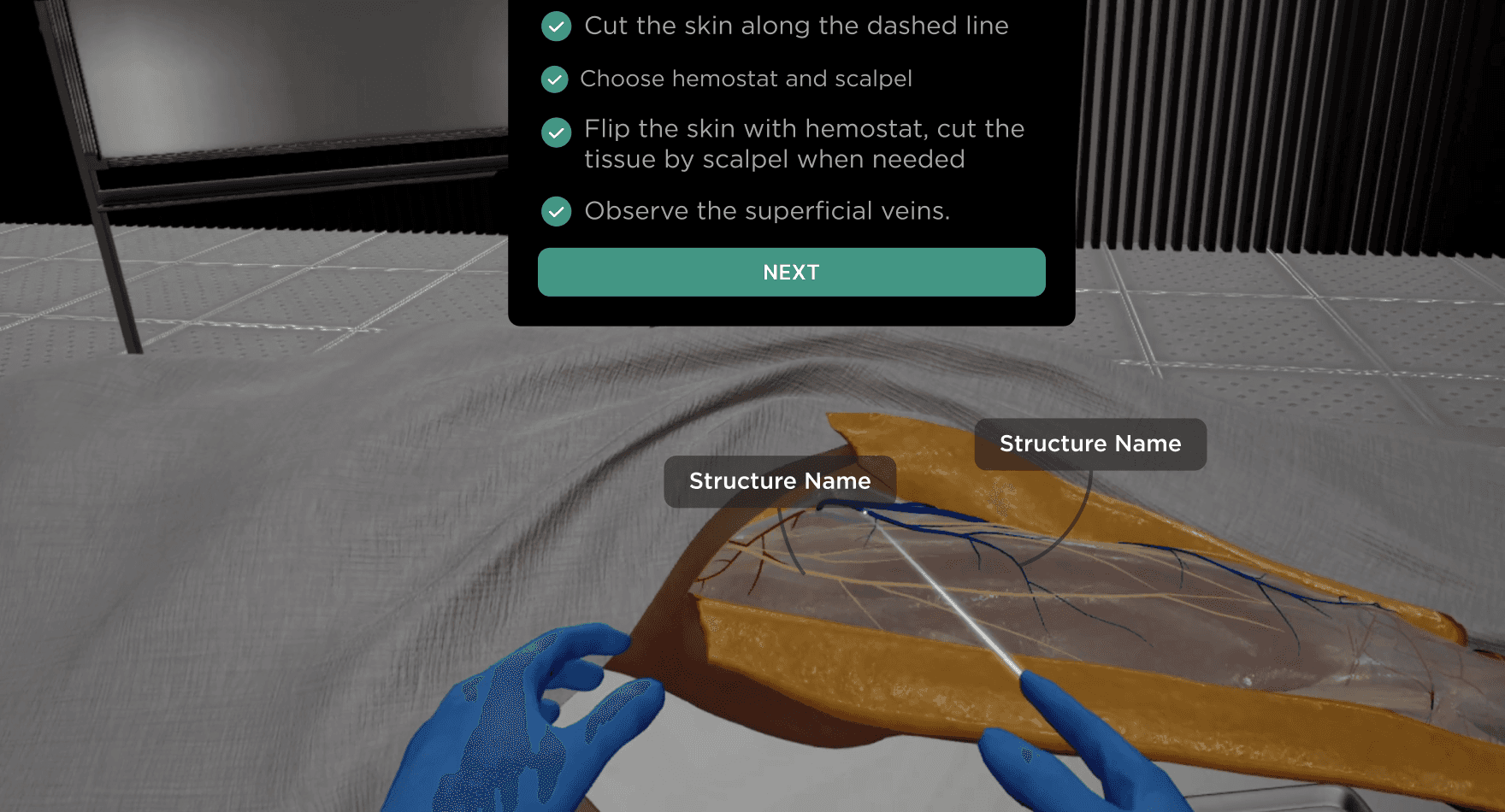
After all assigned structure names have been revealed, users can take as much time as they like to observe or simply click 'Next' to move on to the next level.
Next Up_
Scaling the Course Library
Once we expand to 50+ anatomical regions, the system will evolve from a single lecture into a comprehensive curriculum. To manage this growing library, we will implement a structured Course Menu with the following features:
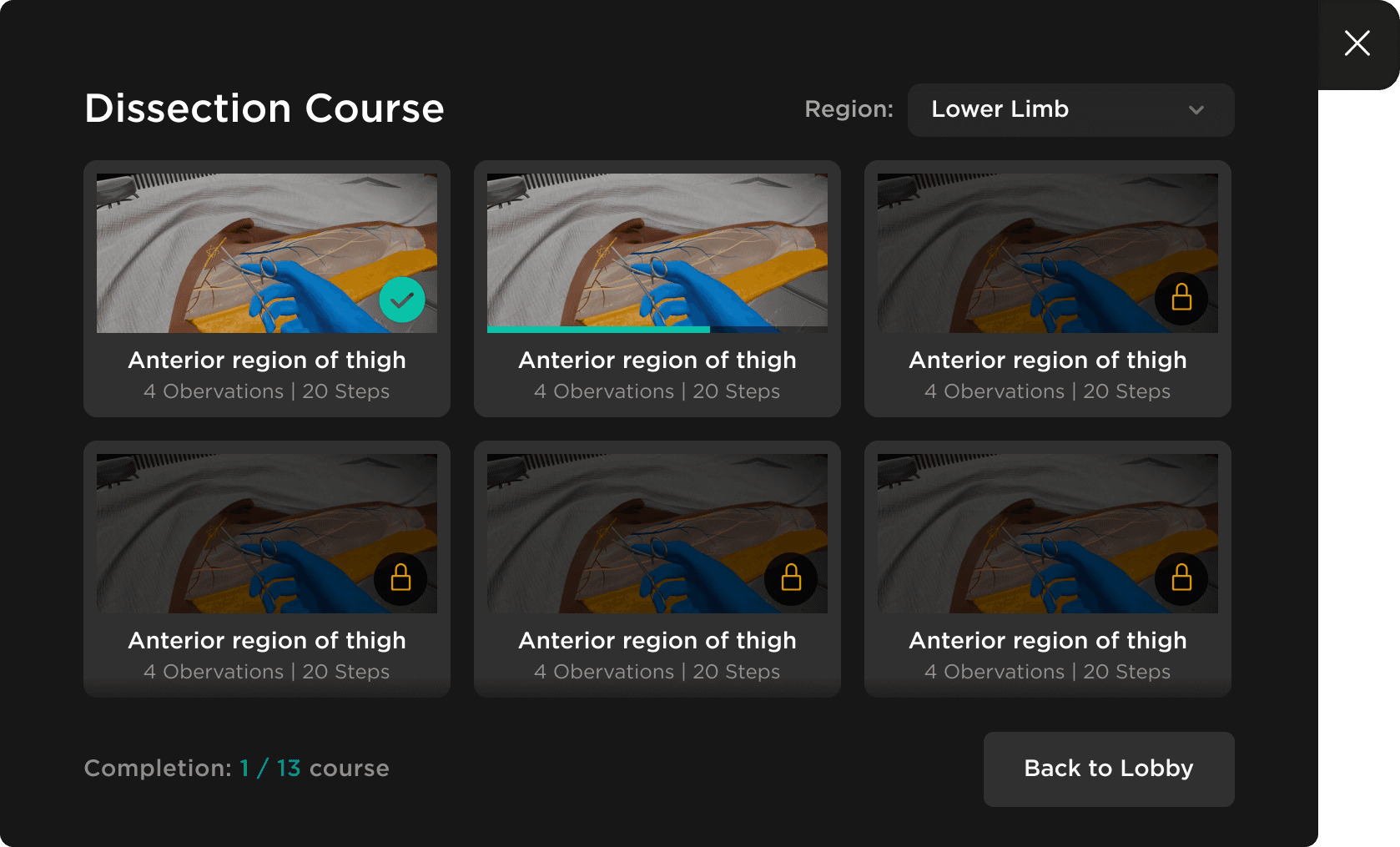
Region-Based Navigation
Users will be able to filter through the extensive library by body regions, such as the Lower Limb or Thorax.
Sequential Learning Path
Modules will be designed to be unlocked one by one, ensuring a logical and guided learning experience.
Dual-Level Progress Tracking
Students will be able to monitor their journey through both the overall course completion (e.g., 1/13) and individual progress bars for each specific module.