Redesign
Background
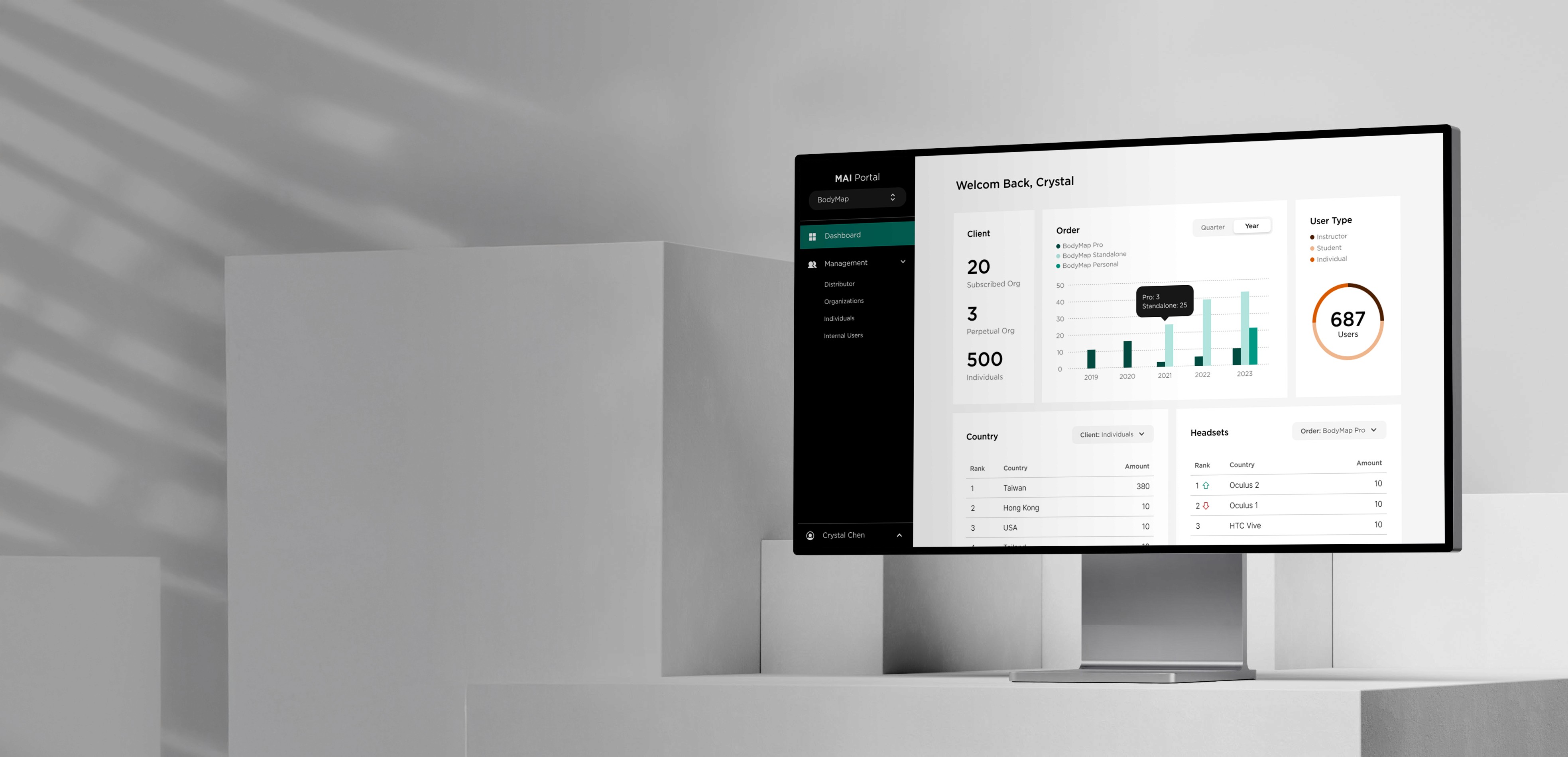
MAI Portal is a web platform that supports VR-based educational products, enabling users to manage content and accounts. As the business scaled, the original admin structure could no longer meet the needs of a growing, multi-layered ecosystem.
Responsibility
Defined core requirements and planned the overall project timeline
Led a team of two UX/UI designers, providing direction and feedback throughout the design process
Created detailed product specification documents to support cross-functional collaboration
Challenge 01
Who should be the admin?
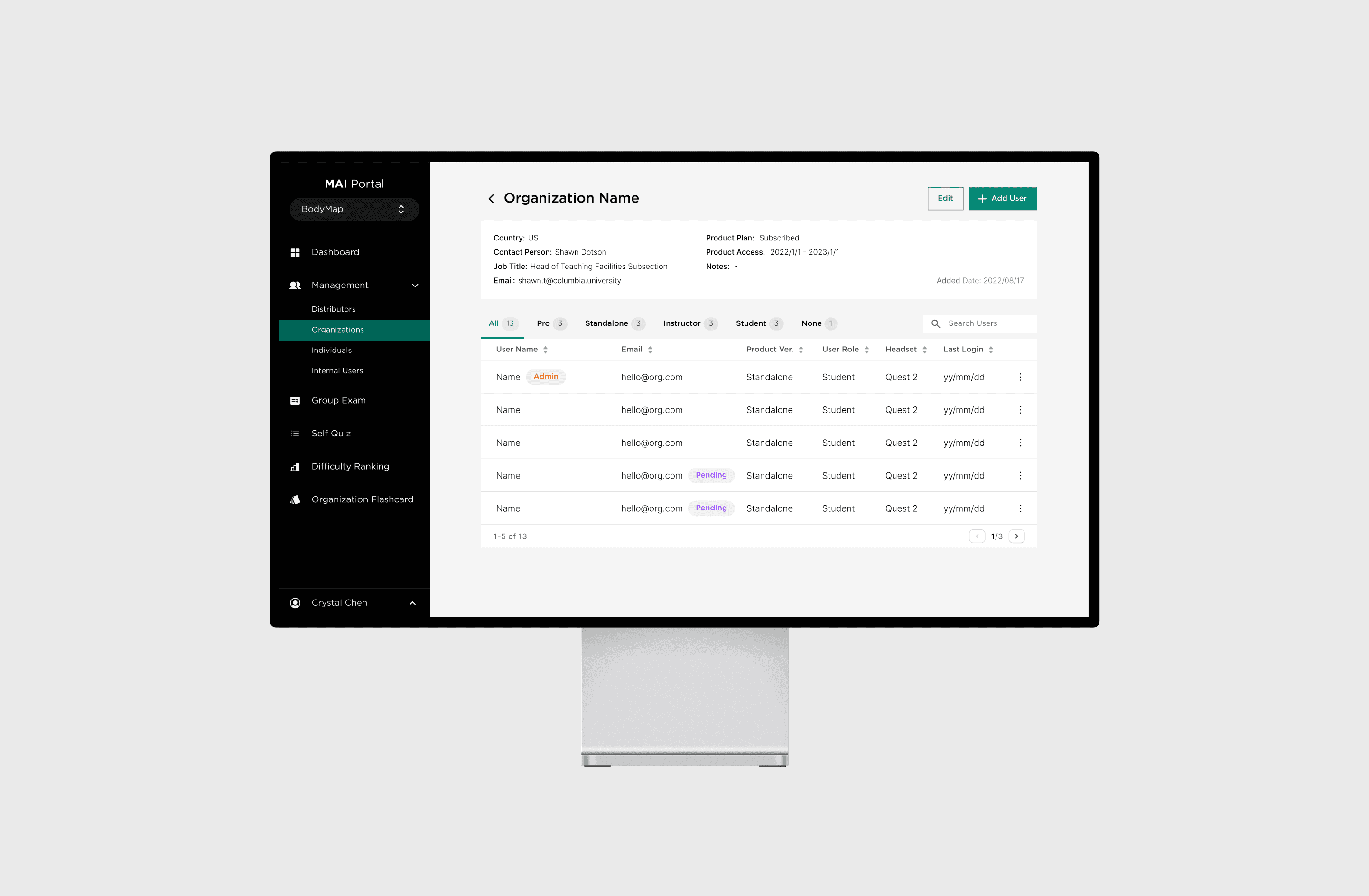
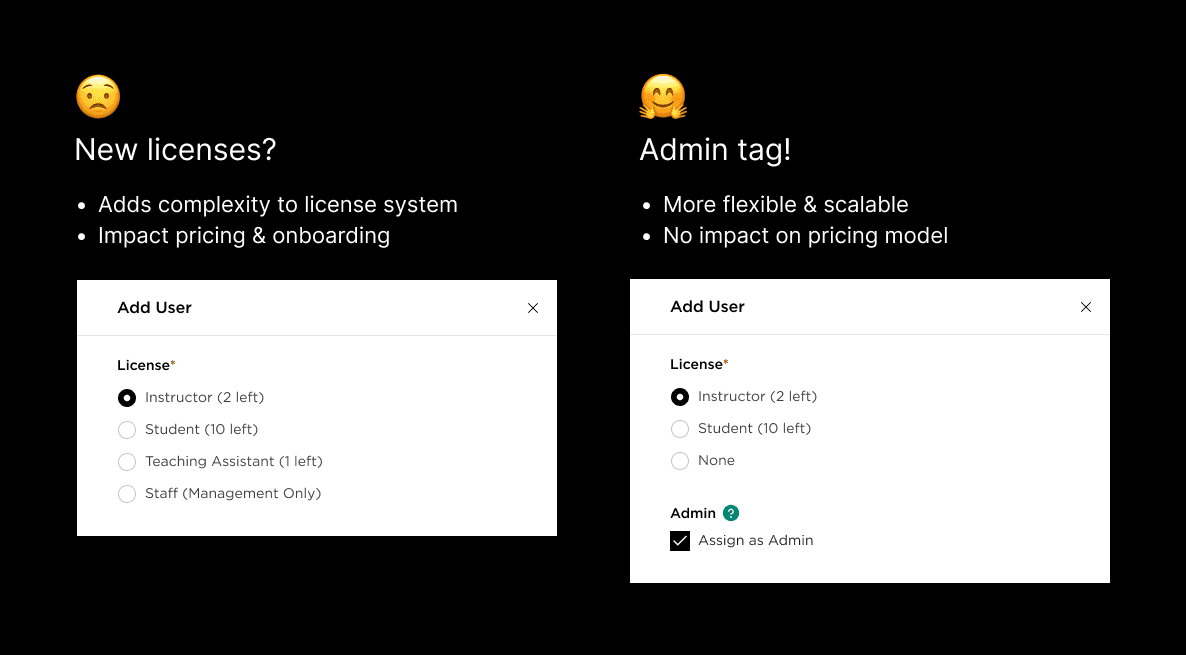
The product supports two license types: Instructor and Student. Only instructors could manage user lists — but in reality, professors rarely handle tasks like adding or removing users.
This raised an important question:
Should we introduce a new license, such as "Teaching Assistant" or "Staff" ?
Admin isn’t a title—it’s a capability
Challenge 02
When internal teams become users too
The original portal was designed for end-users—not business or support teams. But as MAI’s operations scaled, the lack of internal-facing tools led to inefficiencies and duplicated effort.
Multi-layer communication: Slow request handling and delayed onboarding.
Manual license tracking: Extra workload, inconsistent records, and error risk.
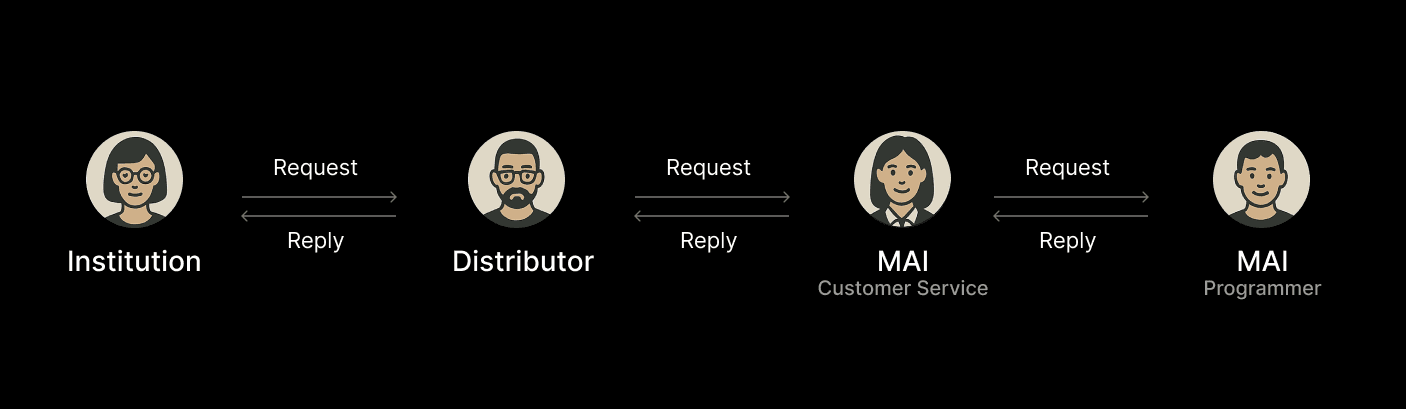
Before: A single trial request could travel across four roles, three systems, and countless emails.
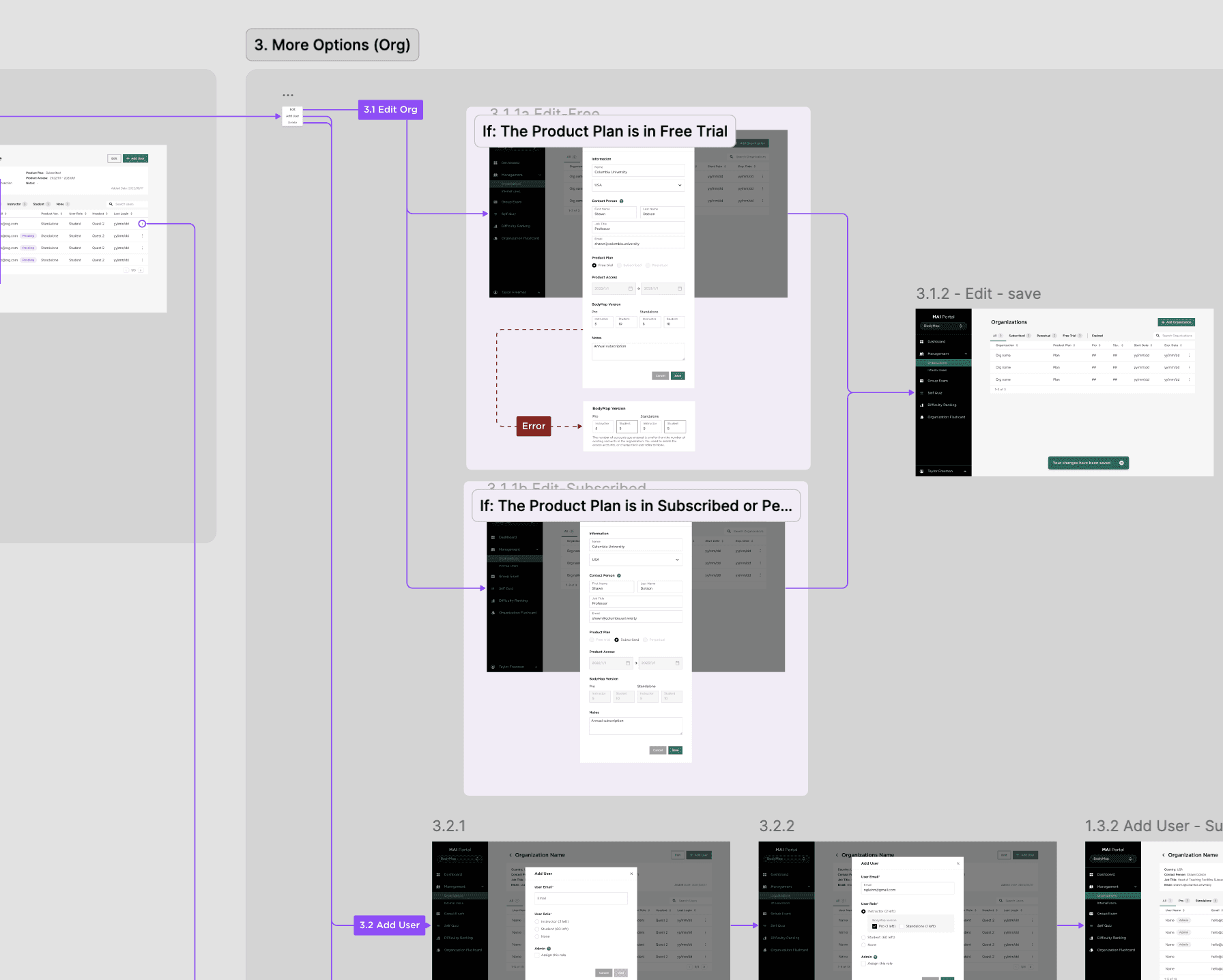
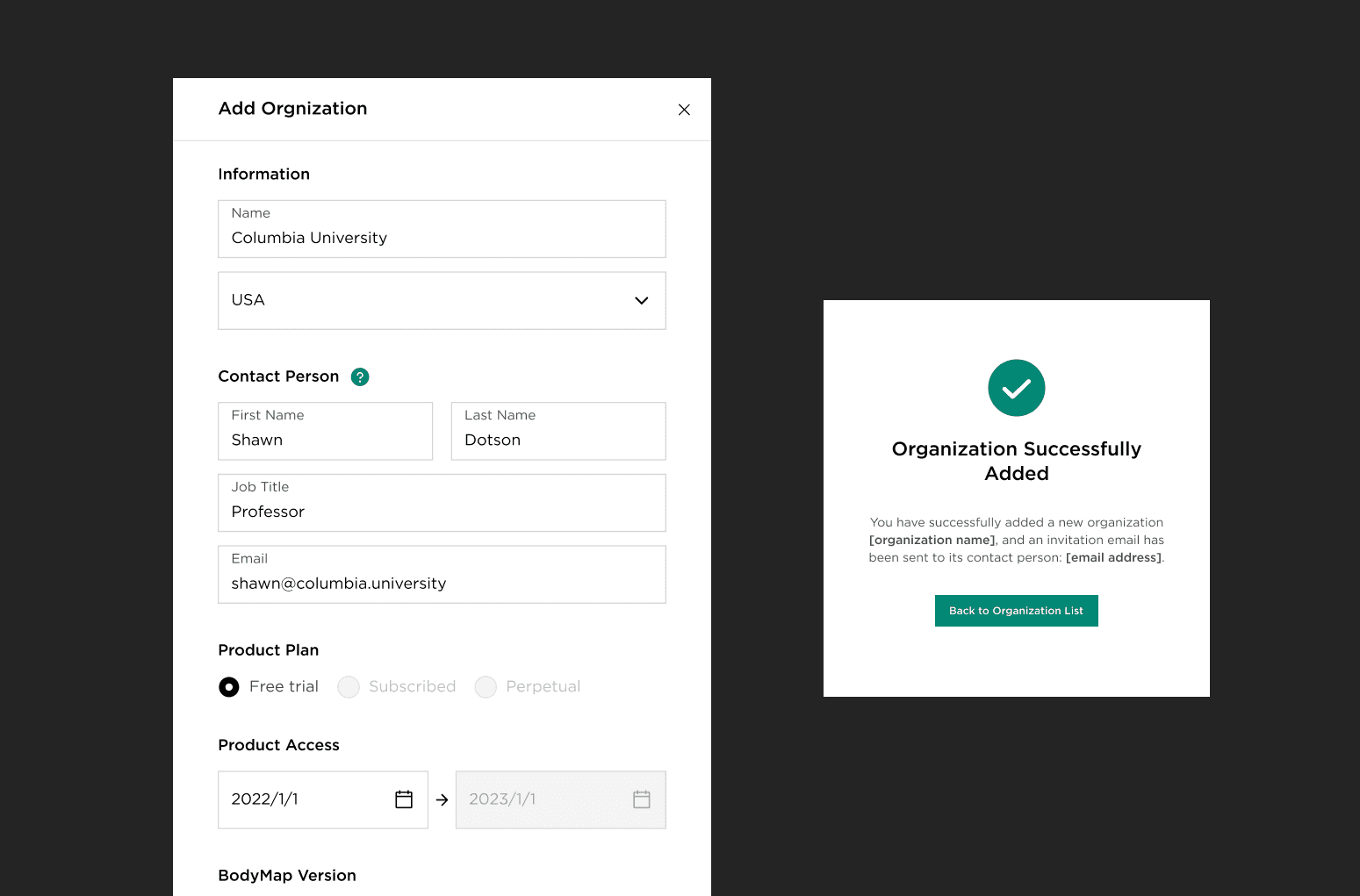
Instead of building a separate tool, we extended the existing Portal to support internal needs. This approach improved usability, boosted adoption, and reduced both training and maintenance costs.
Tiered Admin Model
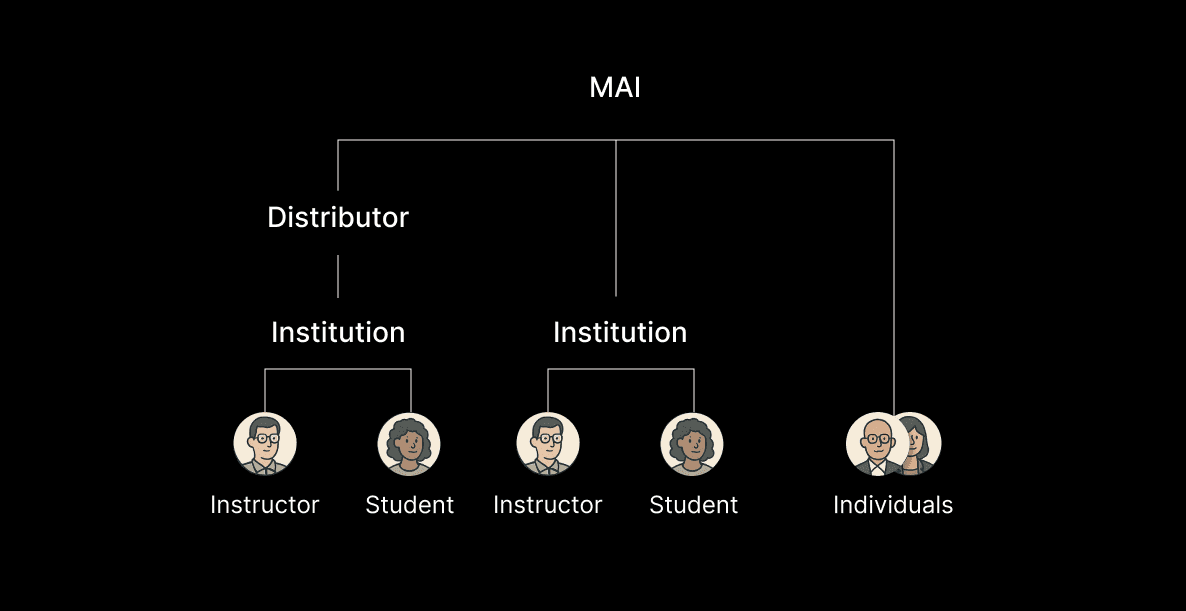
While the action-based admin tag provided flexibility, it wasn’t enough. We needed to further define what each admin level could access and control. To support the complexity of our layered user ecosystem, we introduced a tiered admin model.
Dynamic Interface Module
Once a user is assigned as an admin, the interface dynamically adapts to reflect their level and responsibilities. Administrative modules—such as user management, license assignment, or institution setup—appear contextually in both the dashboard and sidebar, based on the user's admin tier.
By building the system modularly, we made it easier to maintain, test, and extend as new roles or admin actions are introduced in the future.