0-1 Product
Overview
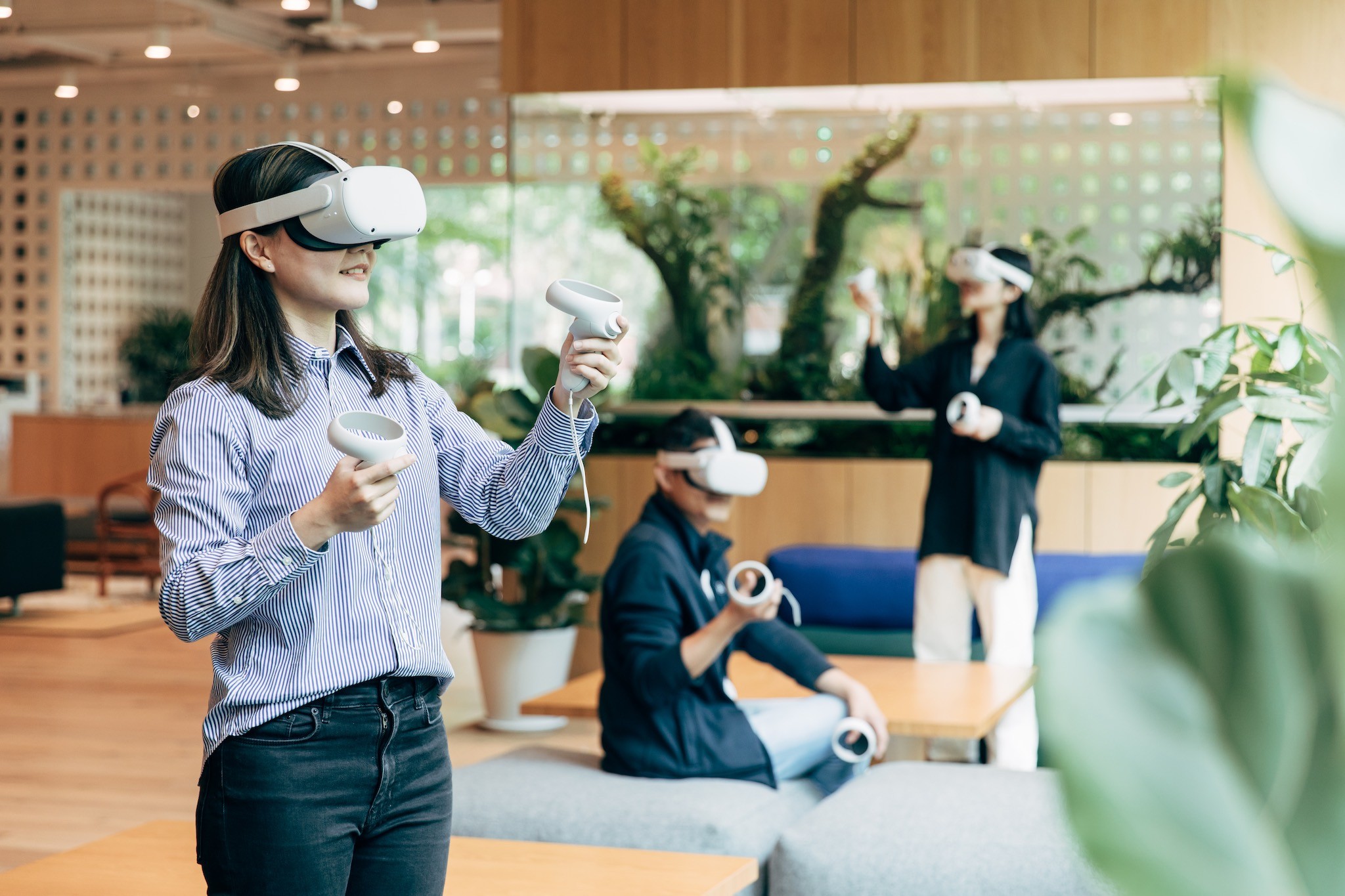
BodyMap is an immersive anatomy learning platform adopted by 30+ medical institutions worldwide.
Over five years, it evolved from a standalone VR tool into a scalable cross-platform system supporting structured medical education. At UCLA, it achieved a 90% student satisfaction rate (2022 report).
Responsibility
As the founding and sole designer, I led the full design lifecycle of BodyMap.
Translated medical learning requirements into scalable feature specifications for monthly releases
Established interaction paradigms and design systems to support multi-subject, multi-device expansion
Collaborated cross-functionally with medical experts, engineers, and 3D artists to align goals with technical constraints
Evolved the product from a single-user VR tool into a scalable learning platform
Layer1: Foundation
Building an Efficient and Scalable Navigation
Challenge
Many VR anatomy applications place menus directly inside the 3D space. When viewed from a fixed position, this approach appears intuitive and visually clear; however, anatomy learning requires users to frequently adjust their viewing distance and angle to observe structures of different sizes. When users move closer to the anatomy model, the menu no longer stays within a comfortable or visible position.
As a result, users must repeatedly switch their view — turning away from the anatomy model to locate the menu, make a selection, and then turn back to resume observation. This constant switching interrupts learning flow and adds unnecessary interaction friction.
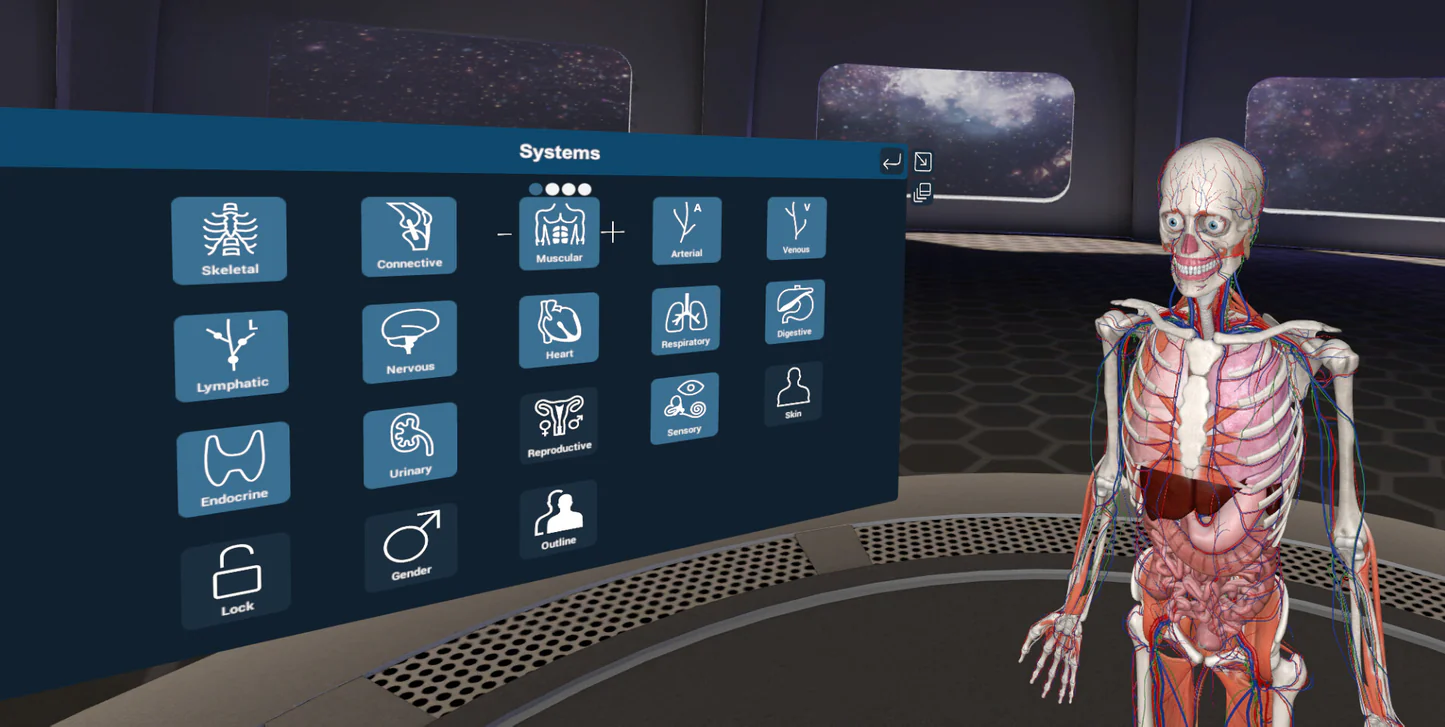
Example of a world-locked UI used in other VR anatomy app.
Approach
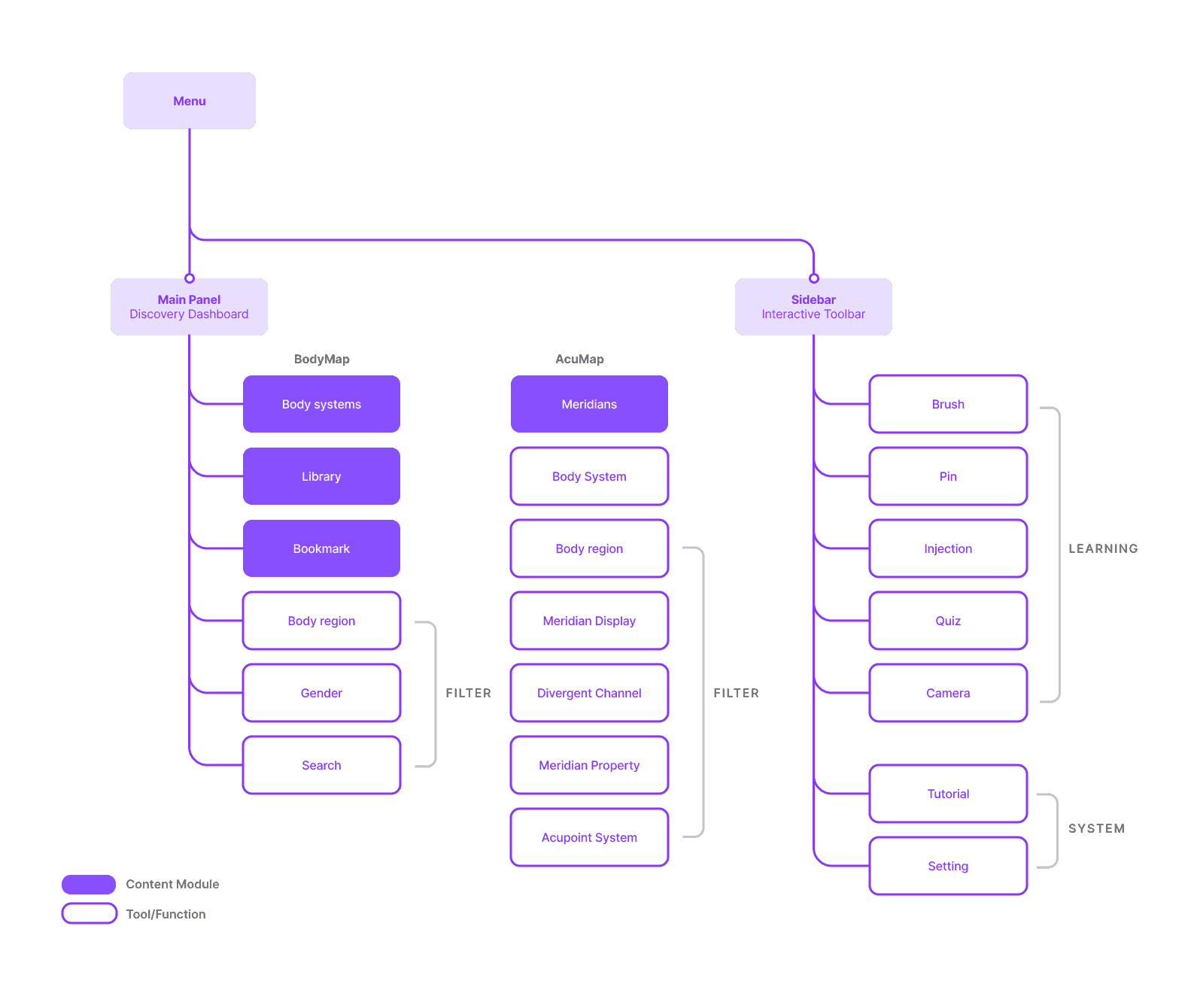
We decided to use a "hand-locked" UI, where the toolbar is attached to the controller. This allows users to access dozens of options by simply raising their hands, much like using a remote control to operate a television.
Hand-locked UI allowing users to access tools without leaving their viewing focus.
Layer2: Data
Transforming Medical Data into Interactive Learning
Challenge
Traditional anatomy education uses static illustrations to highlight specific structures for different teaching points. While VR allows students to explore anatomy in 3D, a raw 3D model does not automatically organize information according to learning topics.
To cover the large amount of textbook content, designers would normally need to manually configure thousands of specific scenes — deciding which structures to show, hide, or highlight for each topic. This approach would require massive manual effort and would be difficult to maintain.
Solution
We turned anatomy content into structured data and built interaction tools that could automatically generate learning visuals.
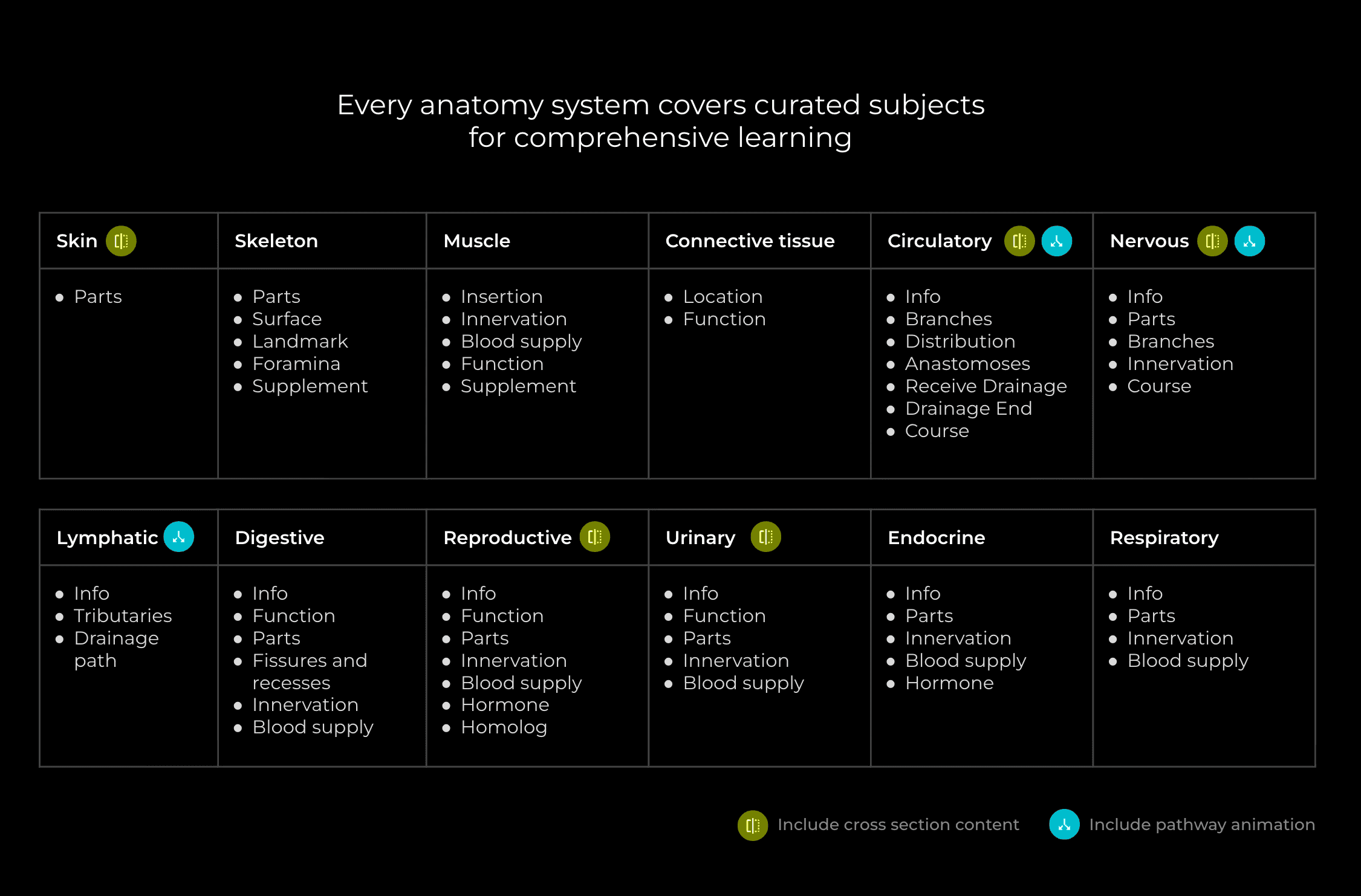
Defined metadata for each anatomy system to structure learning content
Built structured data sheets for content editing
Interactive Flashcards
When a user clicks a topic on a card, the system displays text and automatically highlights the corresponding structure in the VR scene. This saves the team time on manual scene setup and helps users find content instantly.
AcuMap Metadata
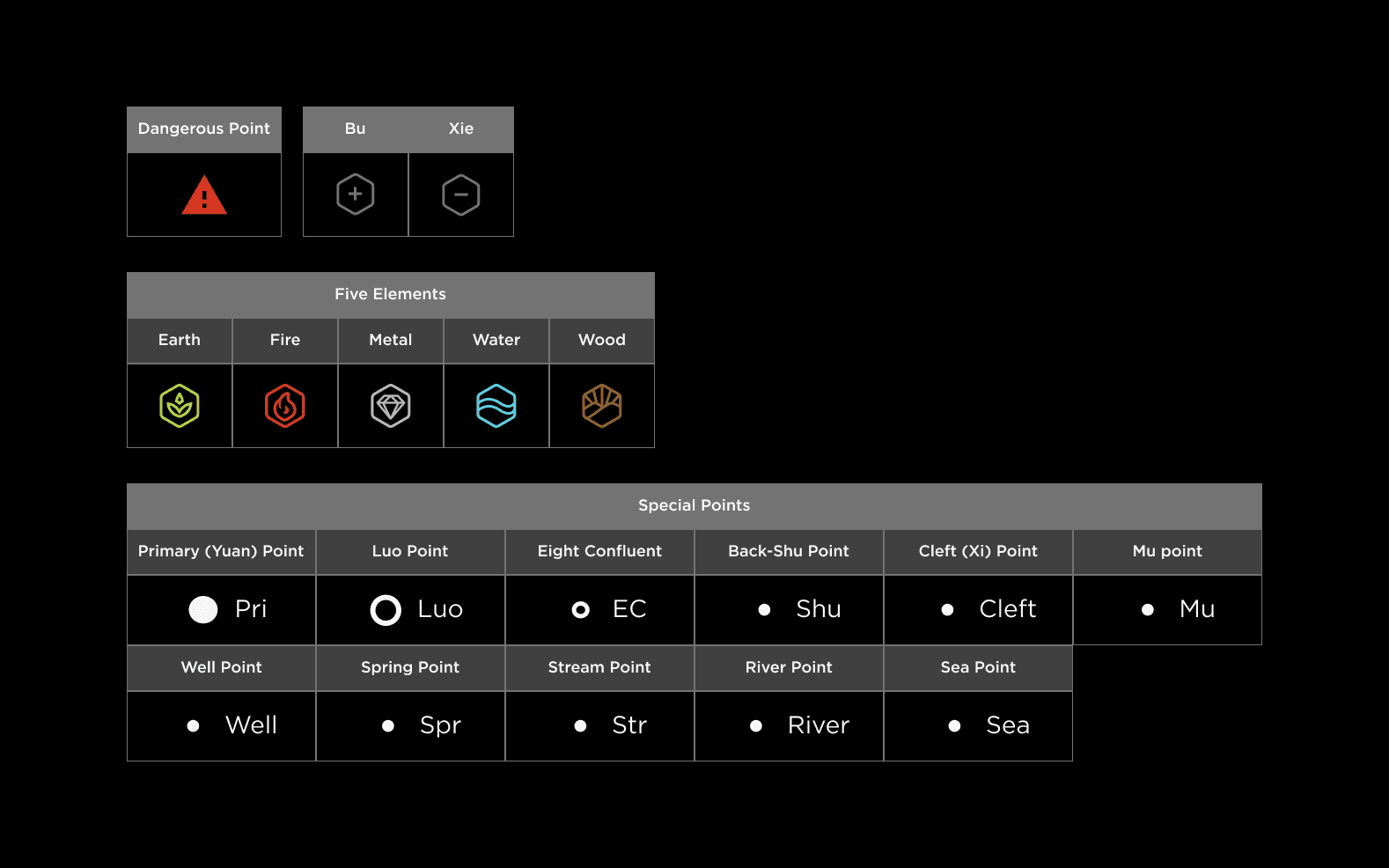
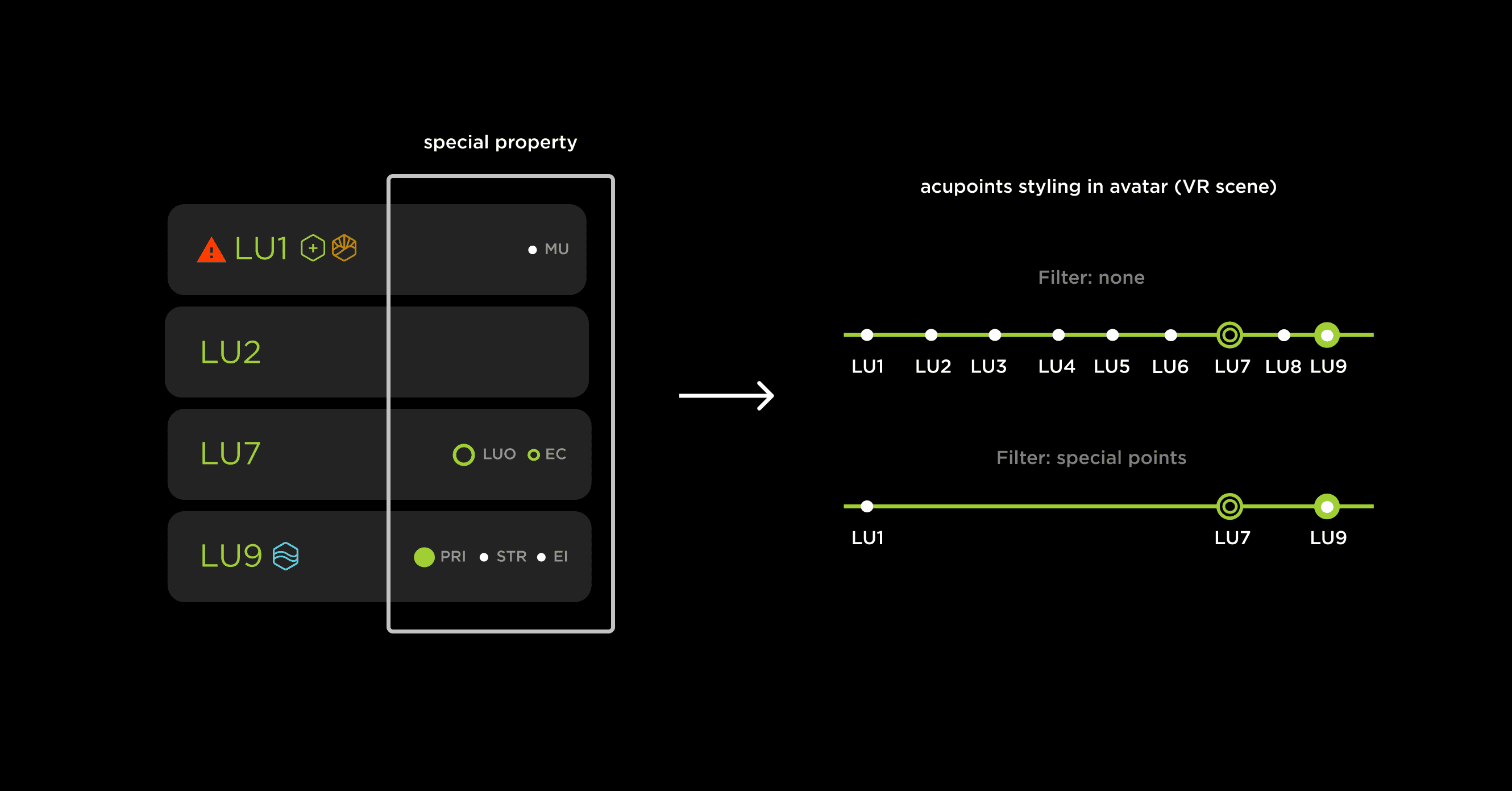
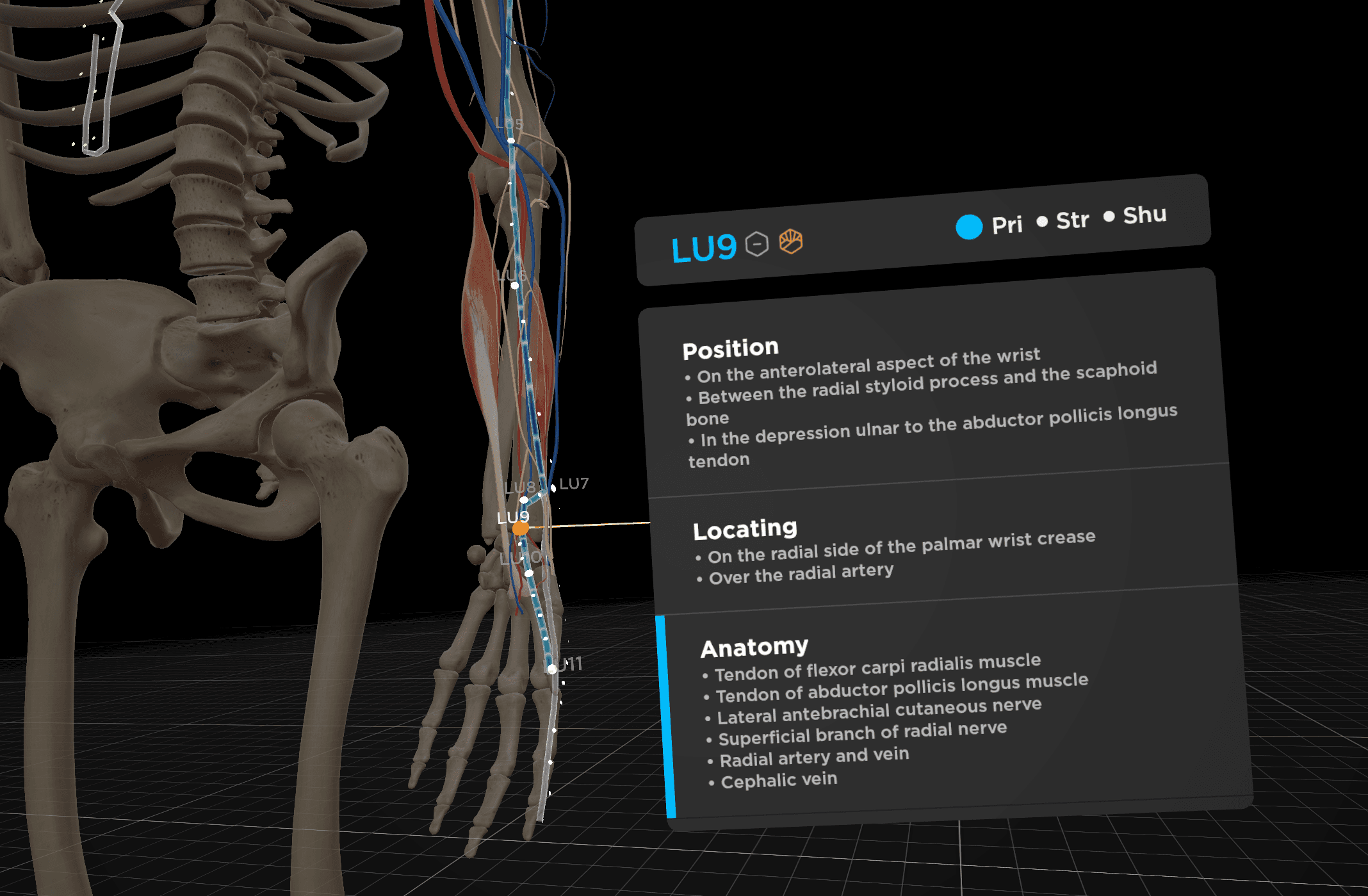
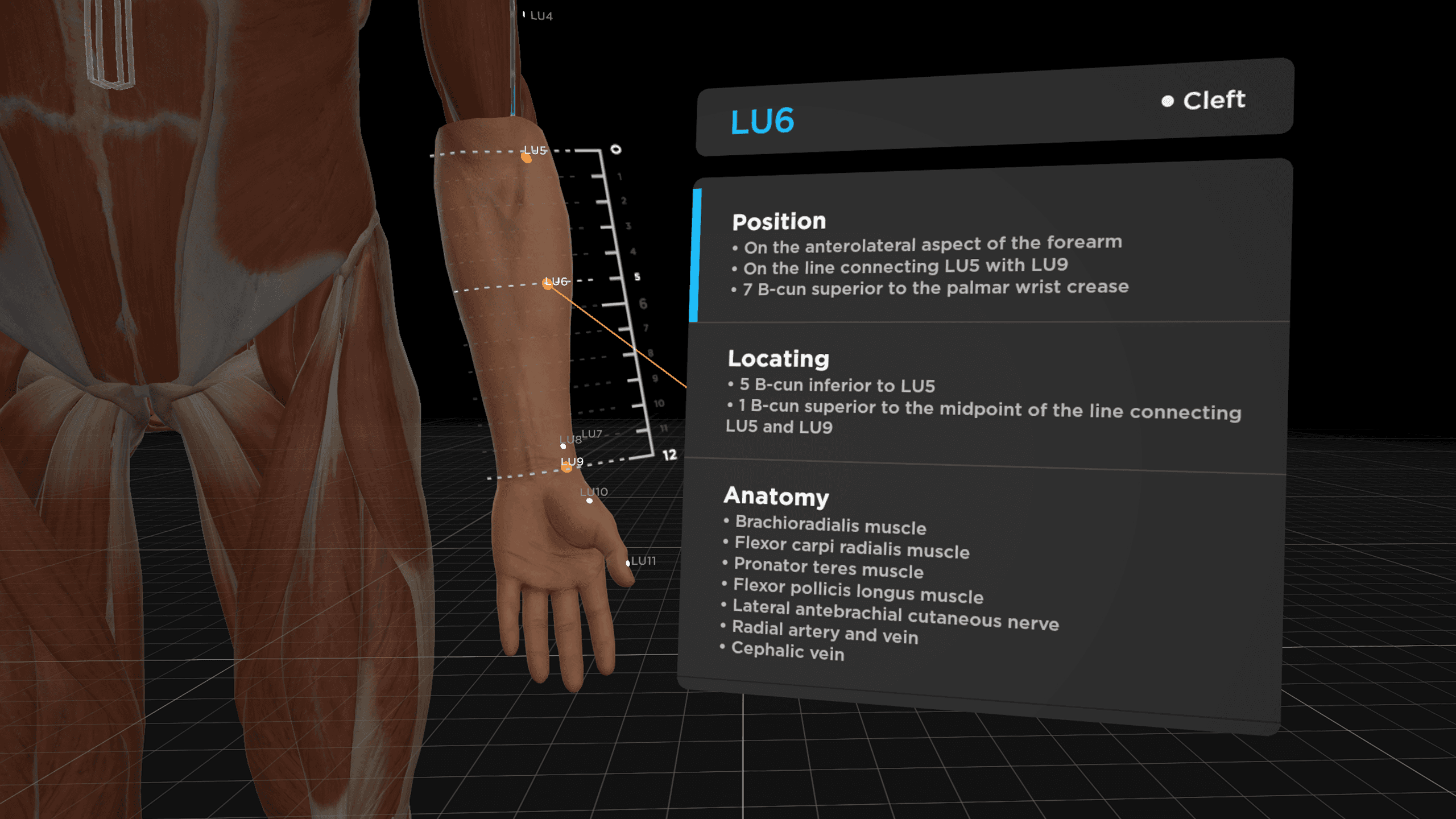
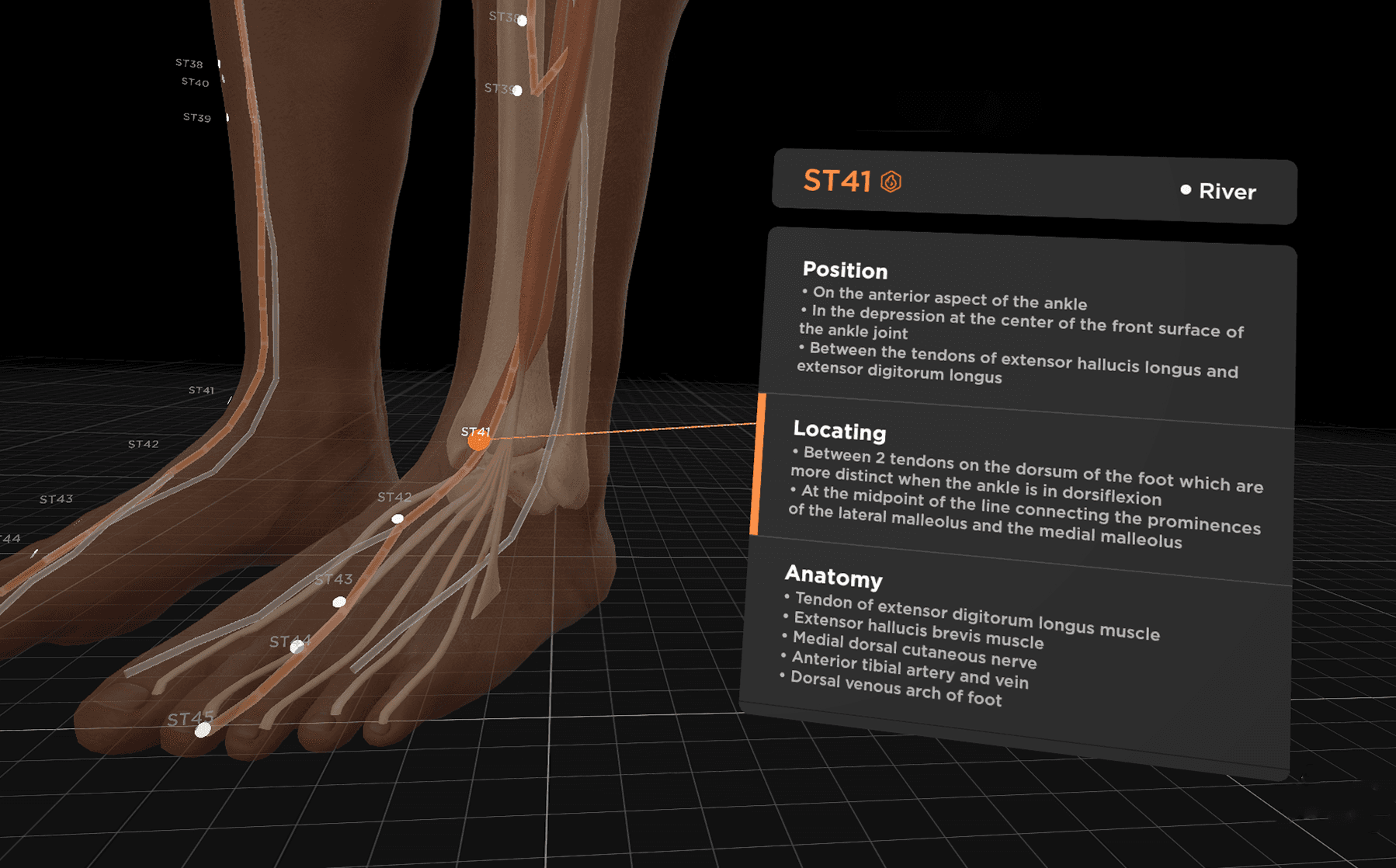
When BodyMap expanded into AcuMap, which focuses on acupuncture education, I worked with domain experts to convert acupoint knowledge into structured metadata.
The system uses this metadata to apply different visual patterns based on clinical meaning. Users can filter and explore acupoints from different learning perspectives, which helps them understand treatment logic and distribution patterns more clearly.
Layer3: Simulation
Designing Advanced Learning Feedback
Challenge
Acupuncture training often relies on blind insertion techniques. Students must imagine internal anatomical relationships while performing the procedure. This makes training difficult and increases safety risks.
Solution
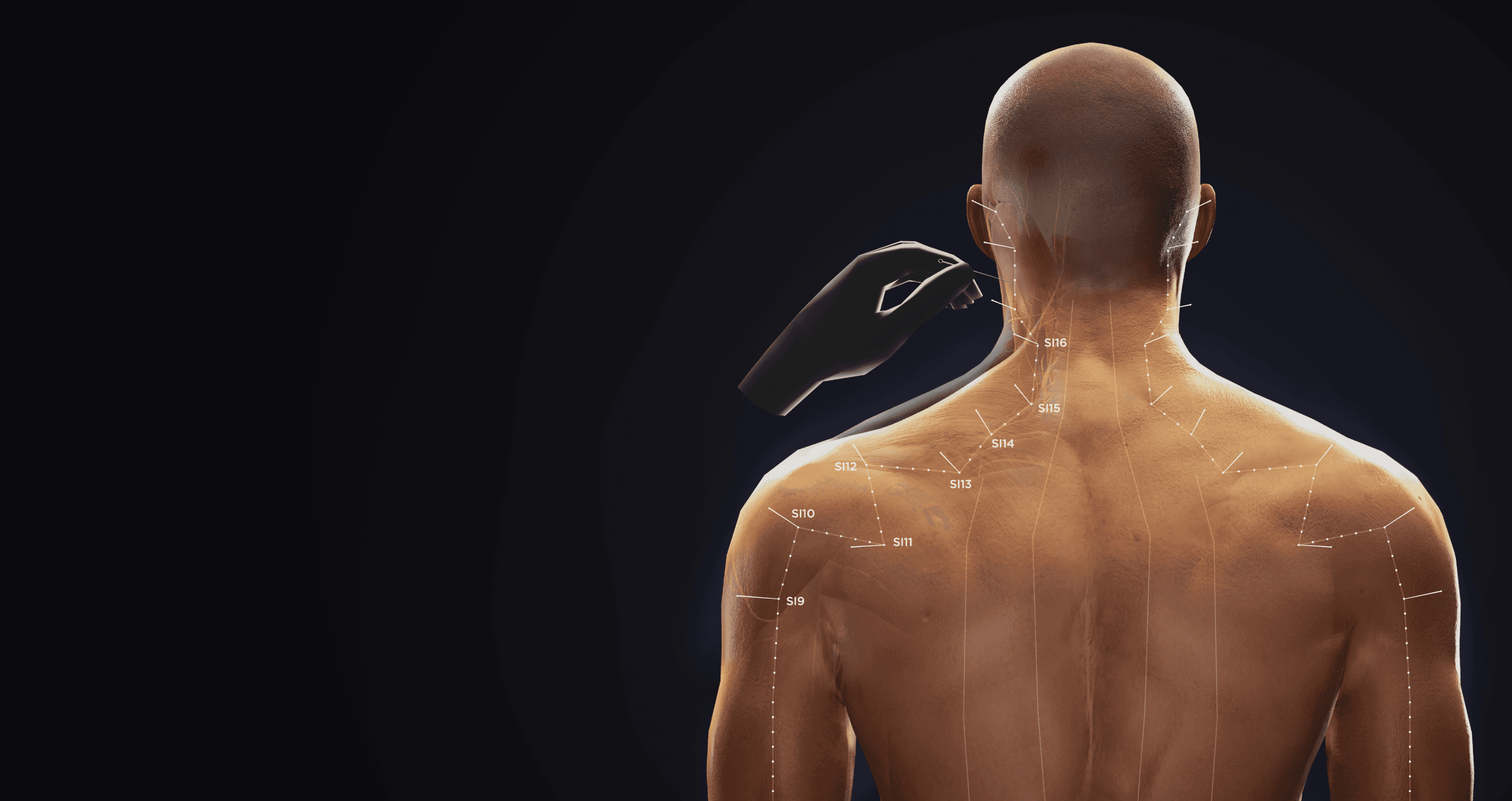
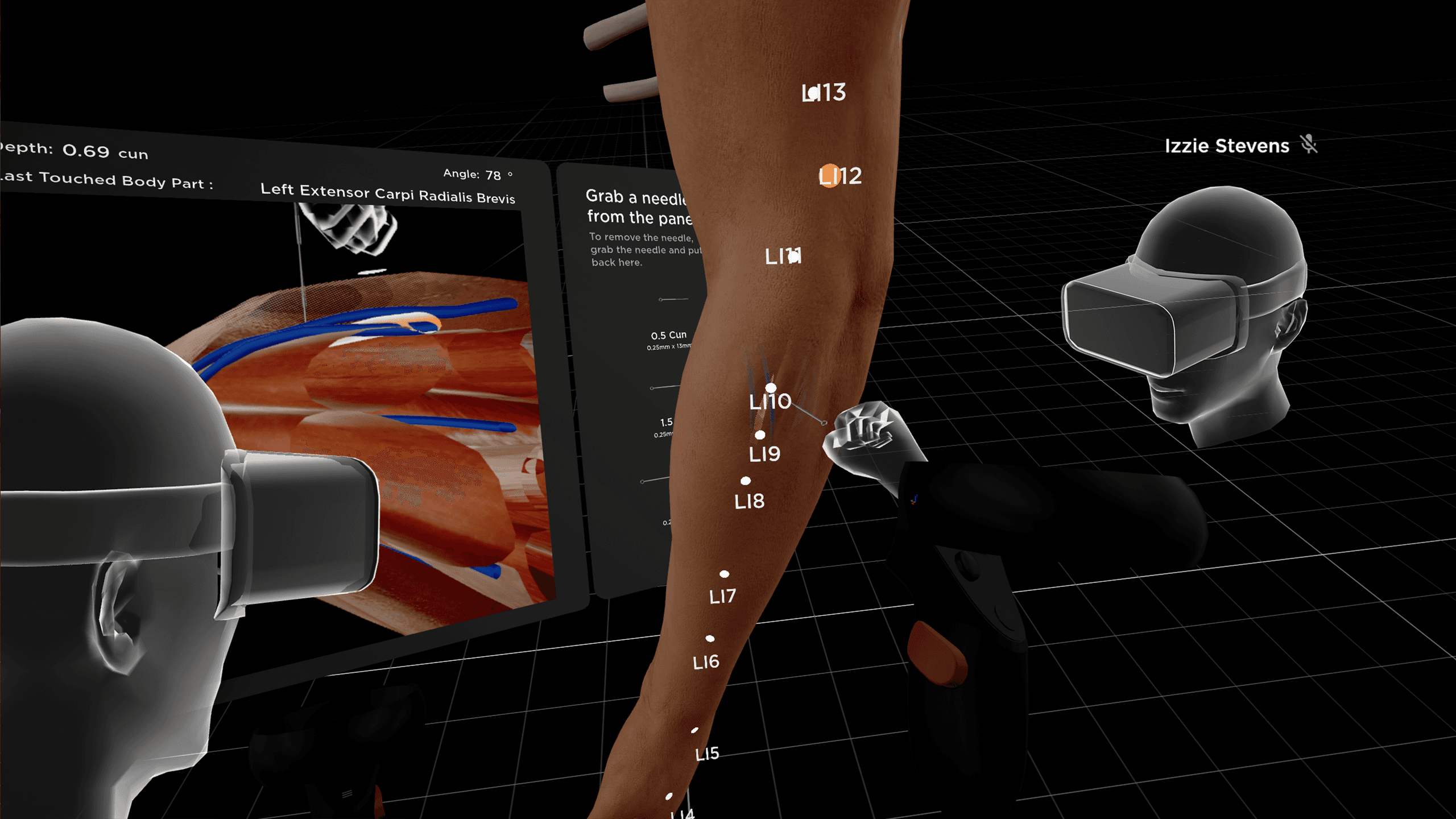
Designed real-time visual feedback tools that allow students to see internal relationships during needle insertion.
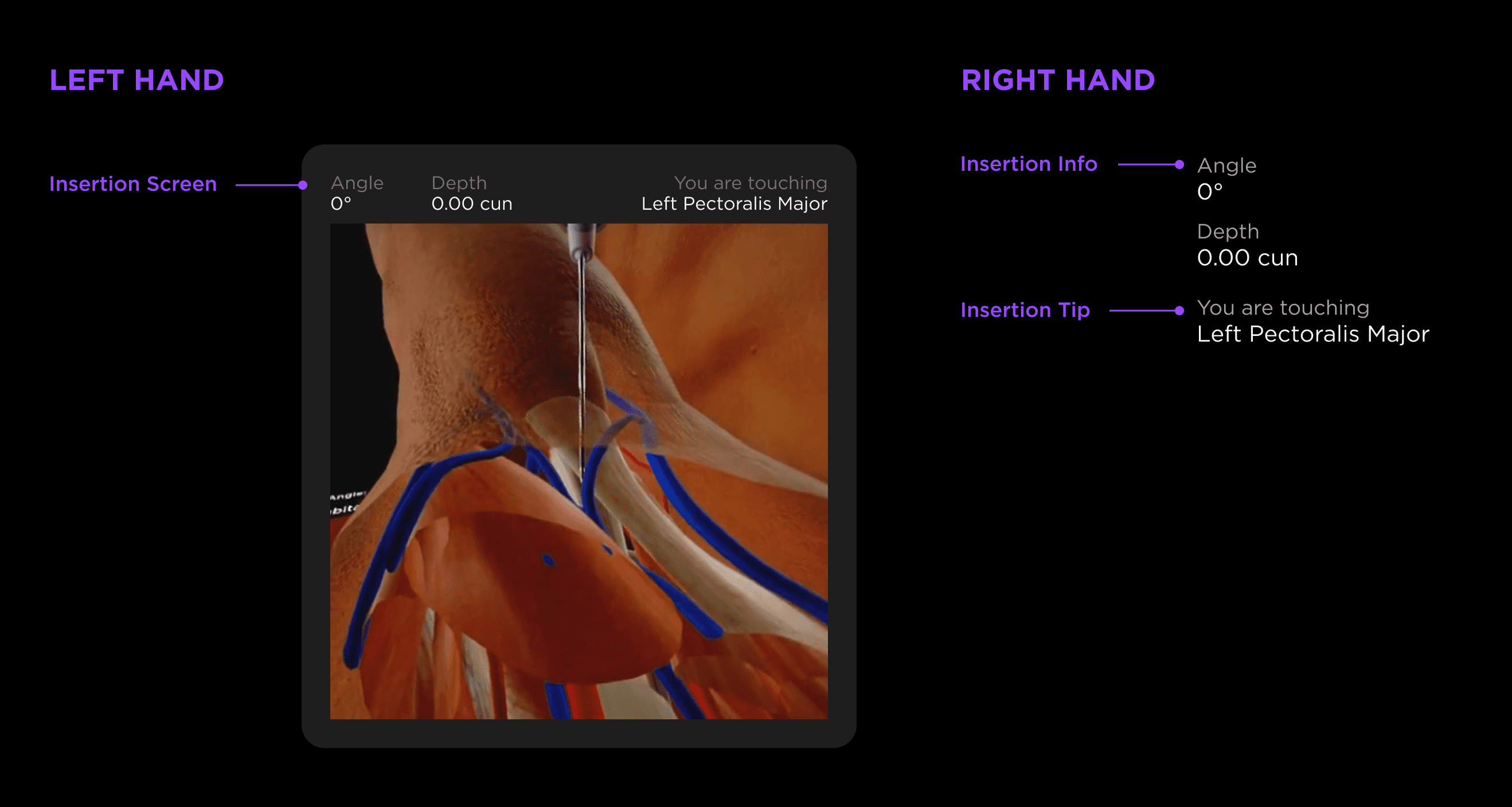
Guided Feedback
The system shows insertion depth, angle, tissue layers, and predicted needle path in real time. These visual signals help instructors explain techniques more clearly and allow students to practice with measurable guidance.
Cross-Section View
I proposed adding a virtual camera next to the controller to generate real-time cross-section views during insertion. This allows students to observe the relationship between the needle and surrounding nerves or blood vessels while performing the procedure.
Impact
According to user feedback, this simulation significantly improves learning efficiency by replacing traditional trial-and-error methods.
Students noted that seeing the exact location of the needle tip relative to internal nerves and blood vessels helps them avoid dangerous areas and prevent injury. The real-time display on the controller allows users to confirm if their needle angle is safe and precise before proceeding.
Layer4: Performance
Scaling Across Devices and Hardware
Challenge
BodyMap originally required high-performance desktop computers to run detailed anatomical models. This made it difficult for schools to deploy the system at scale.
When we started developing a standalone VR version, performance became a major challenge. A large number of 3D models created heavy rendering costs, which caused lag and reduced user experience quality.
Solution
The initial request was to redesign the UI menu to limit the number of models being loaded at once. However, this approach would reduce the flexibility of global observation and increase maintenance complexity due to inconsistent behavior between device versions.
To solve the performance issue without compromising the user experience, I worked closely with the engineering team to understand how rendering performance was affected by draw calls, mesh structure, and loading logic. Based on these discussions, I proposed four architectural alternatives. The final solution “grouping meshes by spatial area” was adopted by the engineering lead.
By merging models based on their spatial location during initial loading and dynamically separating them during interaction, the system maintained a single draw call at rest while allowing detailed interaction when needed. This approach reduced rendering cost by up to 90% and preserved consistent UX behavior across different device versions.
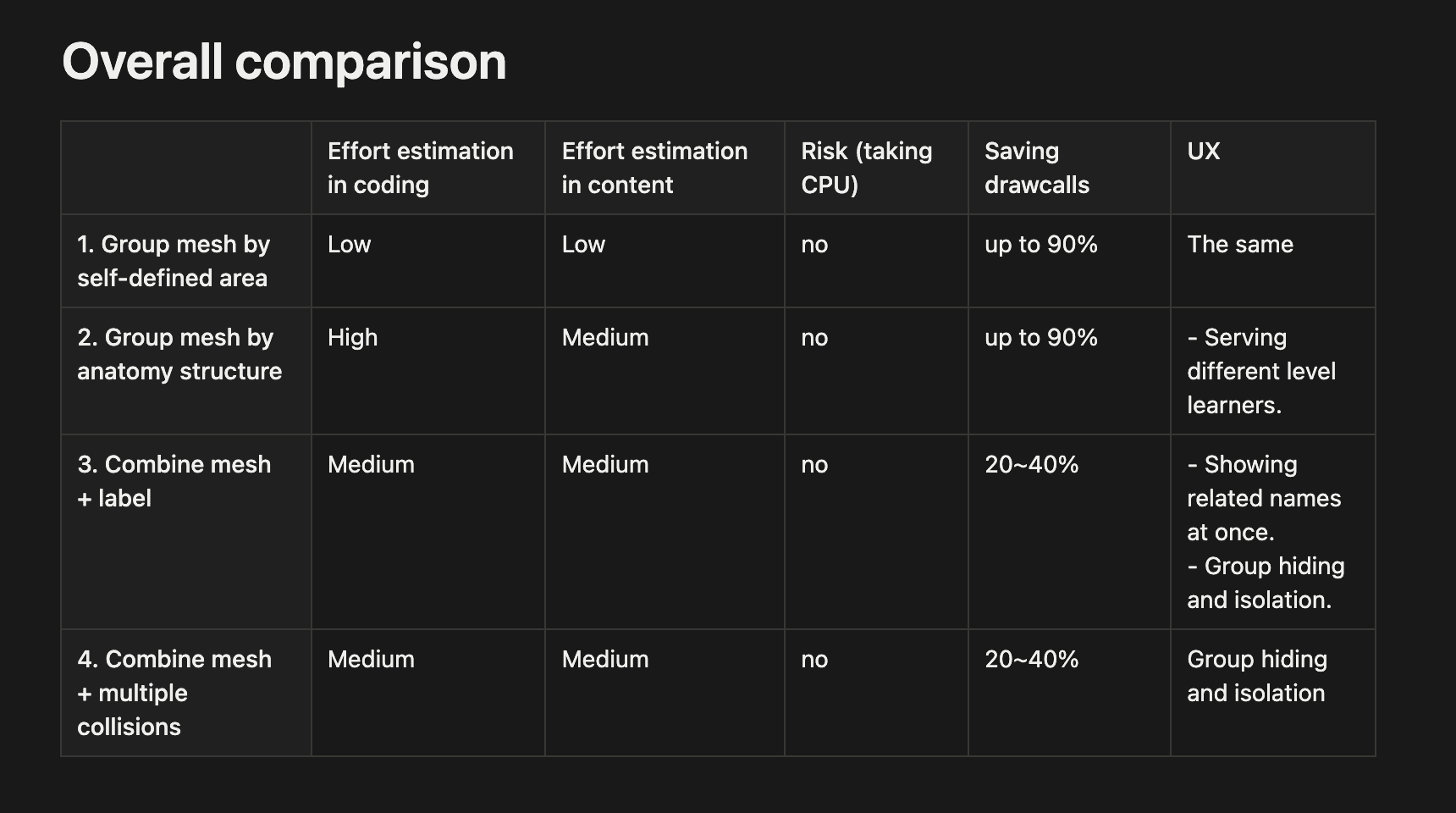
The comparison table of proposals
Impact
This improvement allowed BodyMap to run smoothly on standalone VR devices and made large classroom deployment possible, enabling adoption across more than 30 medical schools worldwide.
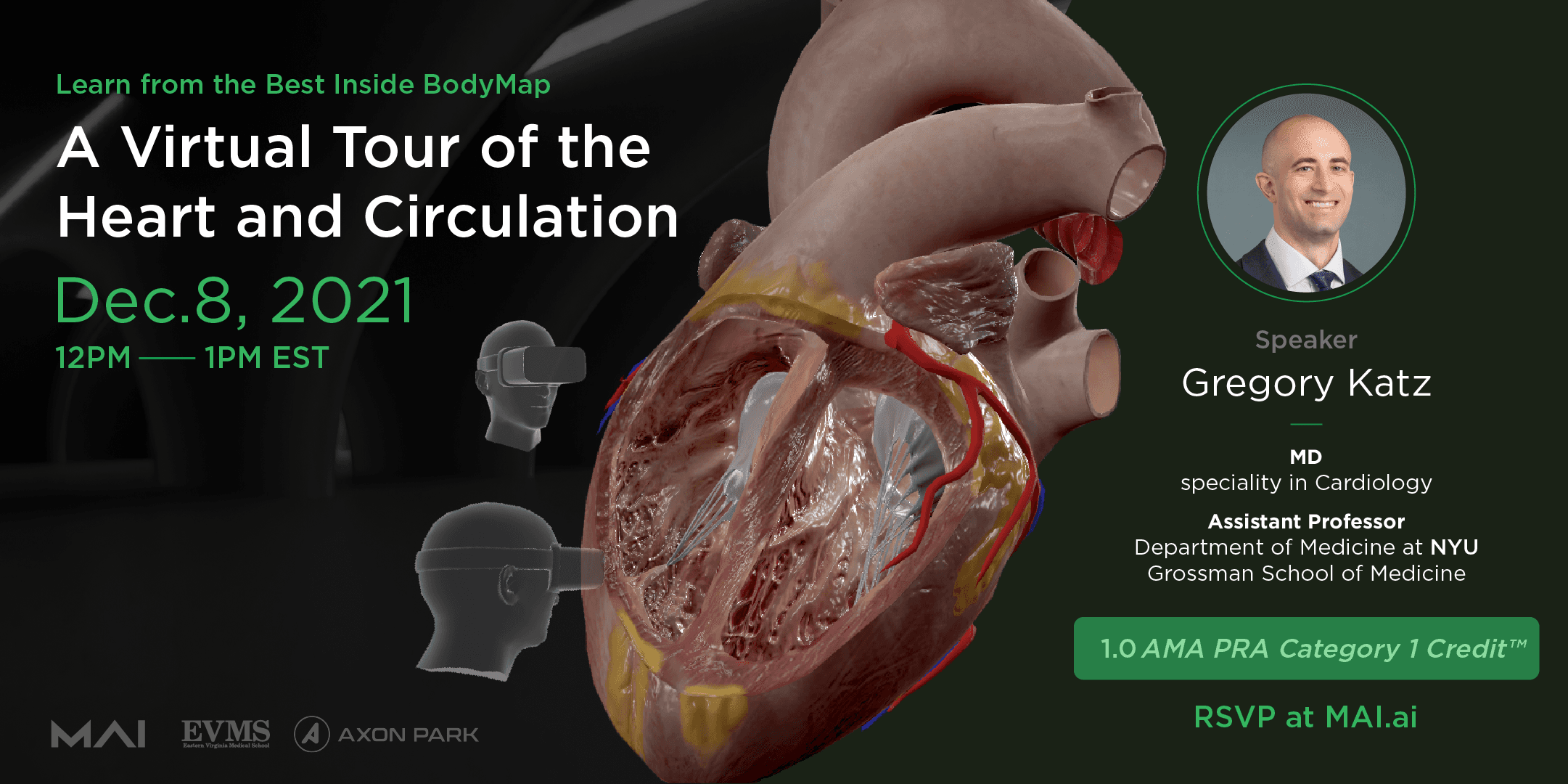
By lowering hardware requirements while preserving complete exploration, the standalone version was able to support a 20-participant international cross-device online course and provided the foundation for future Mixed Reality expansion.
Layer5: Growth
Supporting Business Logic and Expansion
Challenge
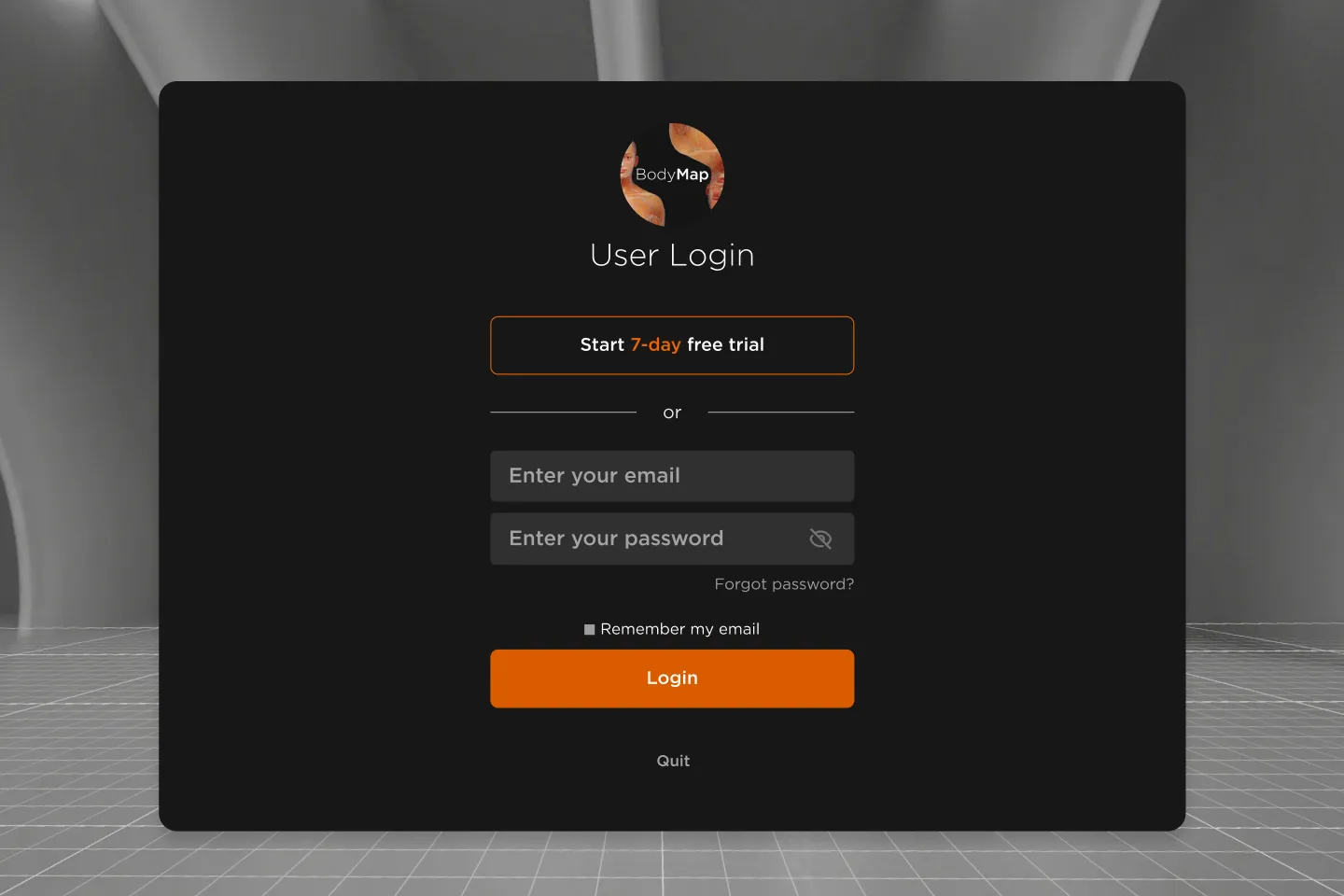
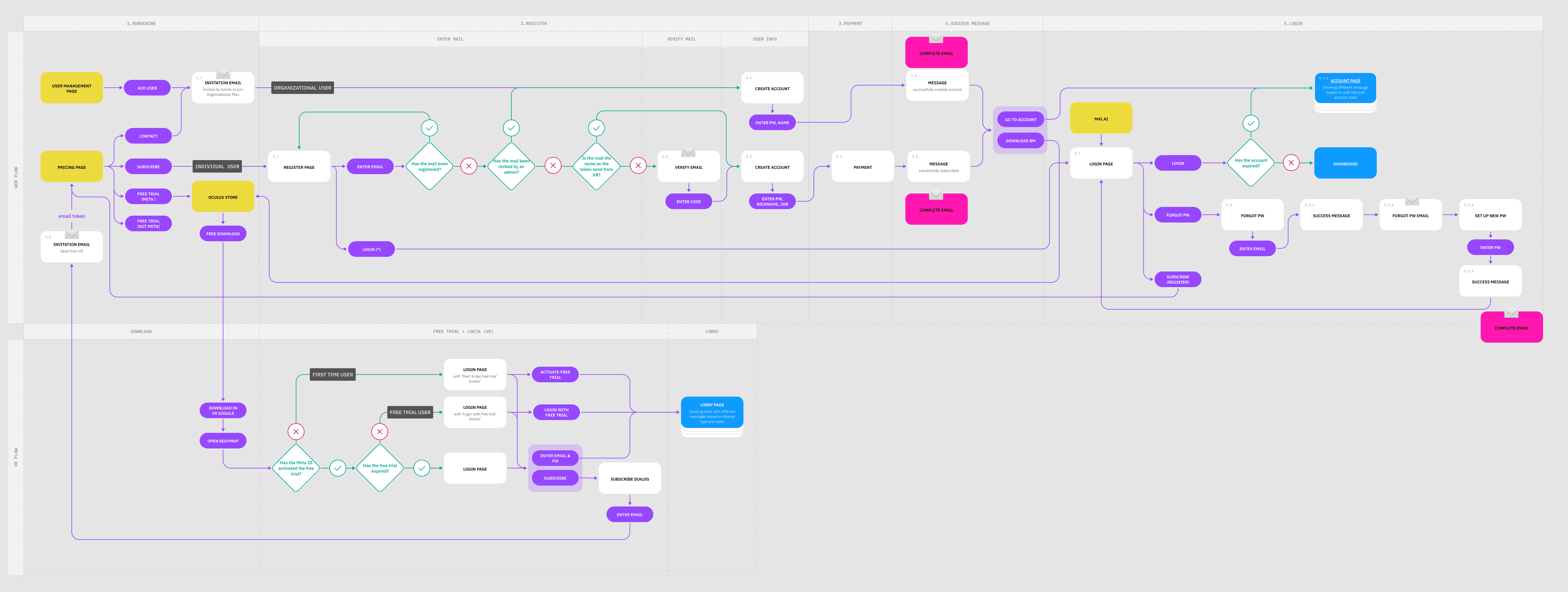
To increase product adoption, we introduced a 14-day trial without requiring registration. Supporting both institutional licensing and individual subscriptions created complex identity and access workflows.
Solution
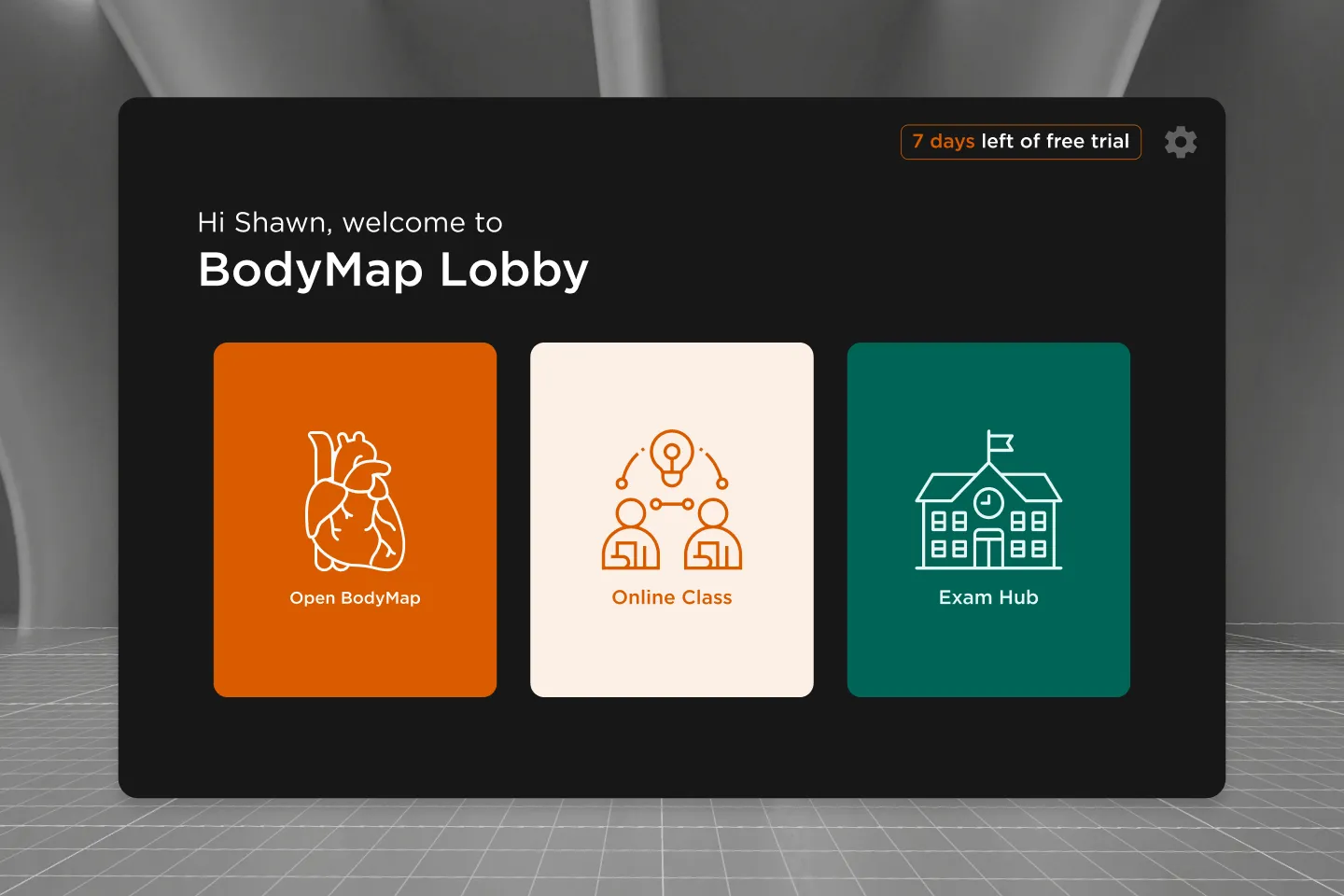
Zero-Friction Onboarding: We used the VR device’s account token for identification. Users can start the trial without entering an email or name, which increased conversion rates.
Auto Verification: If a trial user decides to subscribe, the system checks if their email matches the VR token to skip extra verification steps. It also automatically redirects B2B users to the correct registration flow if they use a B2C link.
Layer6: Ecosystem
Building a Multi-Role Learning Platform
Challenge
In VR, learning data is often fragmented and hard to track. For a B2B2C model, we needed to show meaningful KPIs for different roles, including students, teachers, and individual users.
Solution
To support the B2B2C model, I expanded the design scope from the VR application to web platform services. With new design team members joining the project at this stage, I led the team to define a User Portal deeply integrated with VR, which completed a key part of the product ecosystem:
Content Customization: We introduced a web CMS that allows schools to create and manage their own flashcard content and exam questions. This gave institutions more control over teaching materials and reduced the need for manual content updates from our side.
Automated Access and Role Management: We built an automated permission system so administrators could assign access rights directly to students. This replaced the earlier manual process of creating accounts one by one and significantly reduced operational workload.
Role-Based Learning Dashboards: I led the design of role-specific dashboards to present learning data in different ways:
Instructor dashboards focused on class-level performance and participation.
Student dashboards provided peer comparison and mistake review.
Individual dashboards emphasized long-term progress and study patterns.
These dashboards transformed fragmented VR sessions into trackable learning journeys and supported both institutional management and individual growth.
Impact
90%+
of students reported VR enhanced their anatomy learning.
94%
agreed this should be
offered to medical students.
Results of UCLA's study: Investigating the potential of virtual reality to improve anatomy teaching: a group discussion analysis with medical students
Testimonial
“BodyMap is the future of medical education. Its detail, adaptability, and ease of use make it possible to teach anatomy without a cadaver and without a physical lab. This can democratize medical education and make learning accessible to many.”
Gregory Katz
Assistant Professor of Medicine at NYU. Grossman School of Medicine, USA
“BodyMap is better than anything else on the market for students. It’s an important tool for students as a big part of our curriculum is not only knowing the anatomical features, but seeing how they relate to one another.”
Catherine Howell
Medical Student
University of Toledo Medical School, USA